
How to Change the Currency in Rates
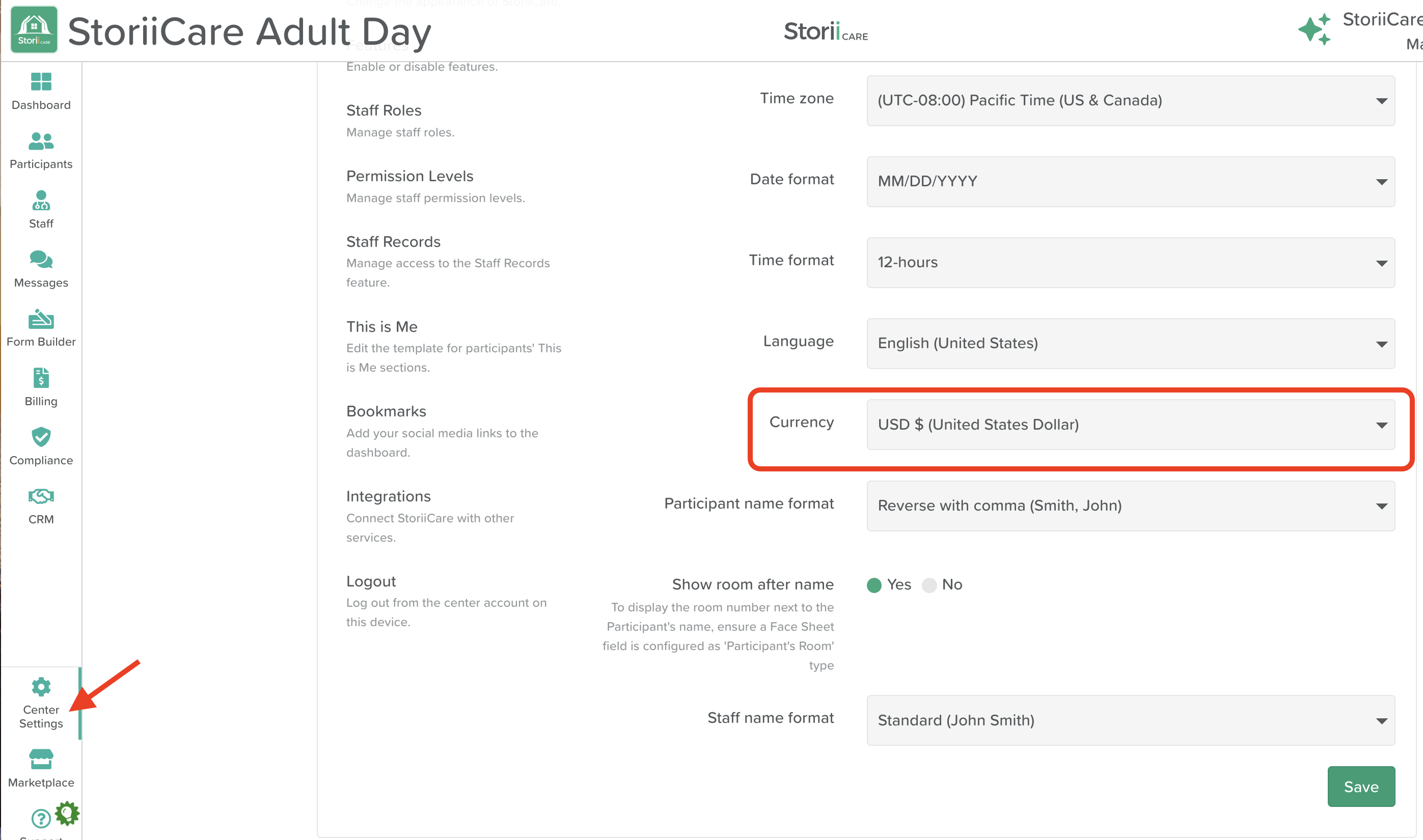
StoriiCare uses your center’s currency across Billing, including Rates, Billing Plans, invoices and payments. The currency is set in Center Settings.
How to Change Your Currency
From the StoriiCare dashboard, go to Center Settings.
Click Account.
Select your currency from the Currency dropdown.
Click Save.
Important: We recommend setting your currency before you create rates or generate invoices. If you need to change it after you’ve started billing, please contact support@storii.com first.
Available Currencies
Code | Currency |
|---|---|
USD | US Dollar |
CAD | Canadian Dollar |
MXN | Mexican Peso |
GBP | British Pound |
EUR | Euro |
AUD | Australian Dollar |
NZD | New Zealand Dollar |
IDR | Indonesian Rupiah |
ZAR | South African Rand |
QAR | Qatari Riyal |
Note: Online payments through StoriiCare Payments are only available in certain countries. You can still create invoices and record manual payments in any currency above. See StoriiCare Payments for the list of supported countries.
Need More Help?
Please contact us at support@storii.com