
How to Unreconcile a Payment
If a payment has been applied to the wrong invoice, or a payer's account needs correcting, you may need to unreconcile the payment rather than void it. Unreconciling detaches a payment from an invoice so it can be reapplied correctly, without deleting the payment record itself.
When should I unreconcile a payment instead of voiding?
Use Unreconcile when a payment has been applied to the wrong invoice and needs to be reapplied to the correct one for the same payer
Use Unreconcile when an invoice is paid, overpaid, or partially paid, and the payment needs to be freed up rather than removed entirely
Note: You cannot void a payment once it has been reconciled against an invoice. If the payment needs to move to a different invoice, unreconciling is the correct approach.
Use Void Payment instead when the payment itself was made in error and should be cancelled outright, rather than reapplied elsewhere. See How to Void a Payment
Use Void Invoice instead when the invoice is unpaid and needs to be cancelled entirely. See How to Void an Invoice
How do I unreconcile a payment?
In the Billing feature, locate the Invoices tab
Use the filters to locate the invoice with the payment that needs to be unreconciled
Click into the invoice to open it
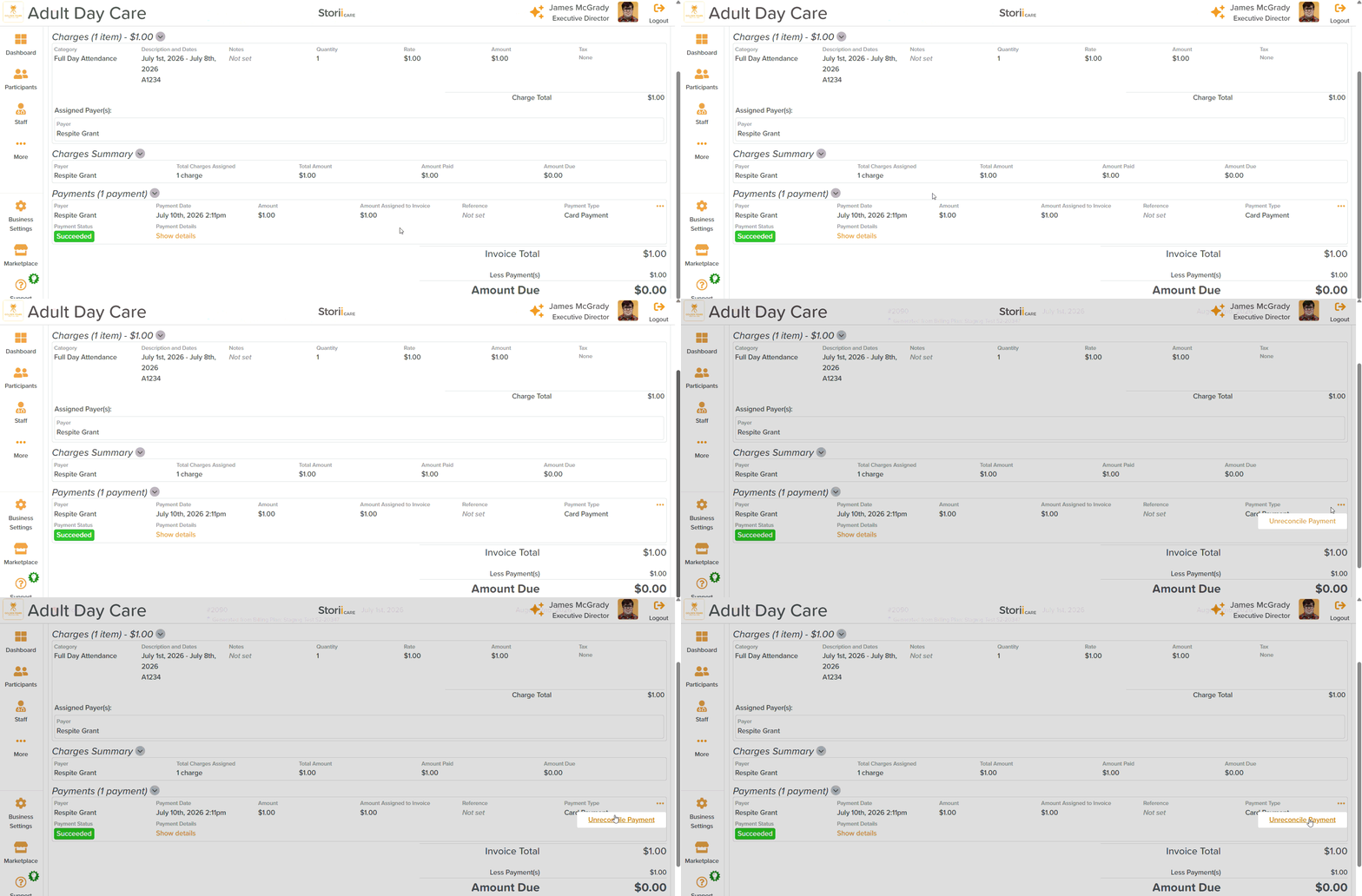
At the bottom of the invoice, where you see the Payment, click on the three dots (...)
Select Unreconcile
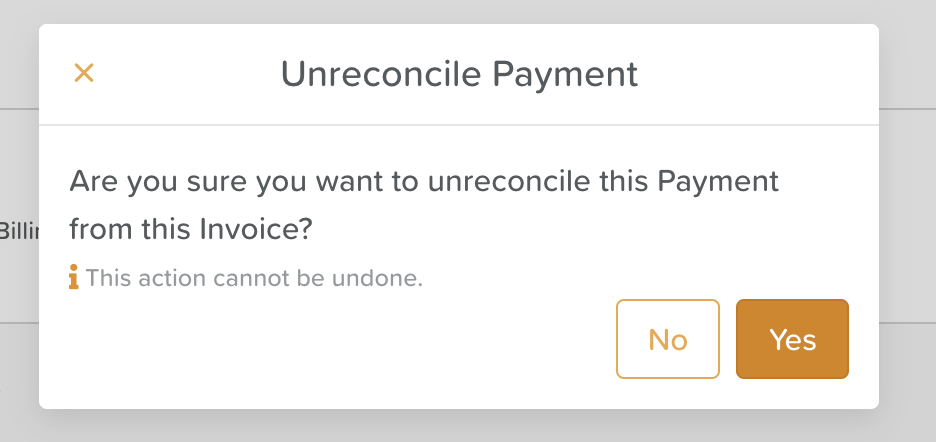
A pop-up window will prompt you to confirm your intention to unreconcile the payment
Important: Once a payment has been unreconciled, it will appear in the Payments tab with an Unreconciled status. It is now available to reconcile to another invoice for the same payer.
Need More Help?
Please contact us at support@storii.com