
How to Void an Invoice
Edited
How do I void an invoice?
Follow these steps to make an unpaid invoice void:
Locate the invoice you need to void
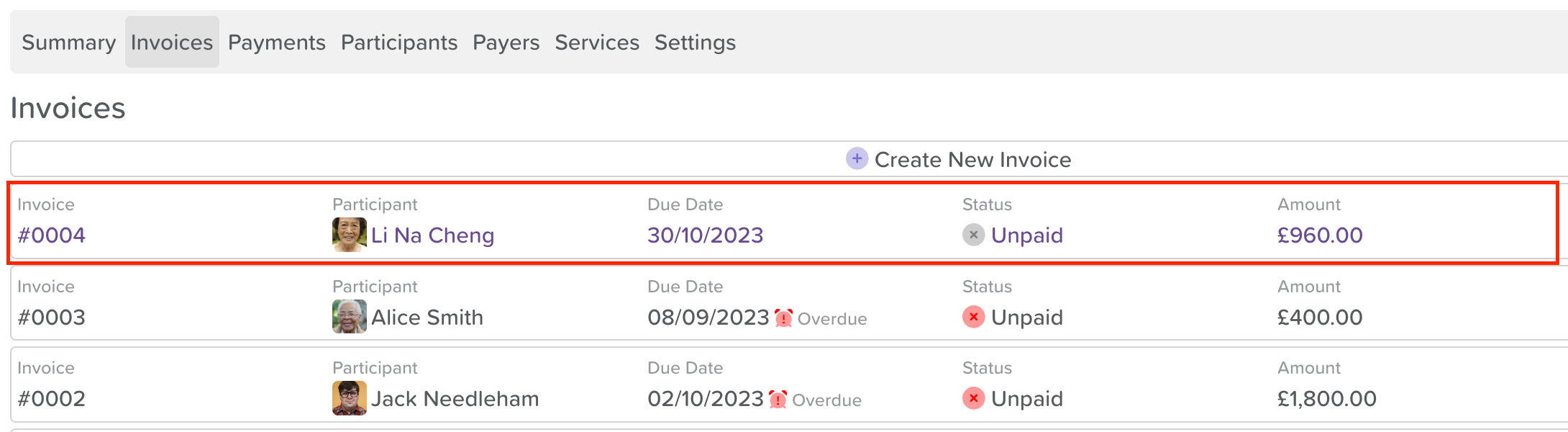
Click on the invoice you want to void
Click the three dots (...) located on the right-hand side of the invoice
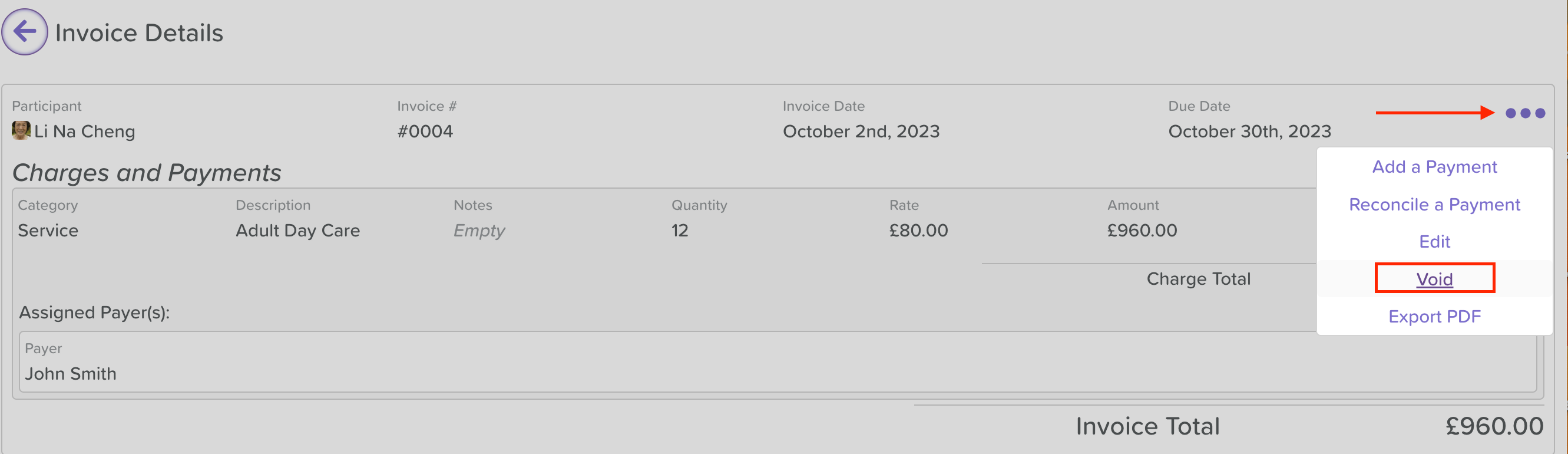
Then click Void on the dropdown menu that appears
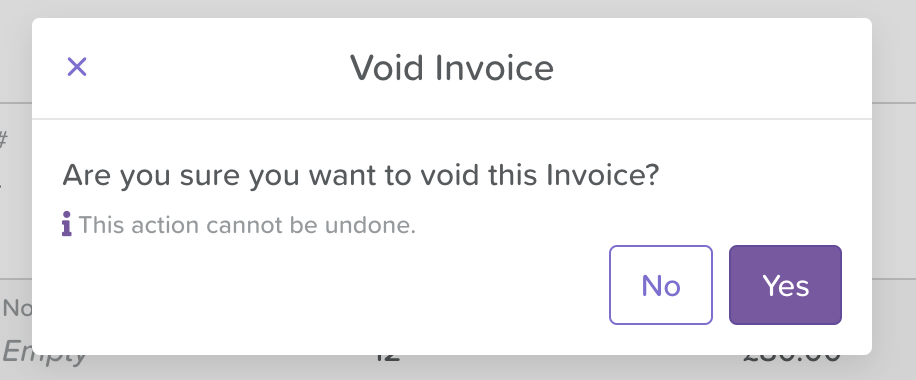
Click Yes when you see the pop-up window appear asking if you'd like to proceed with voiding the invoice
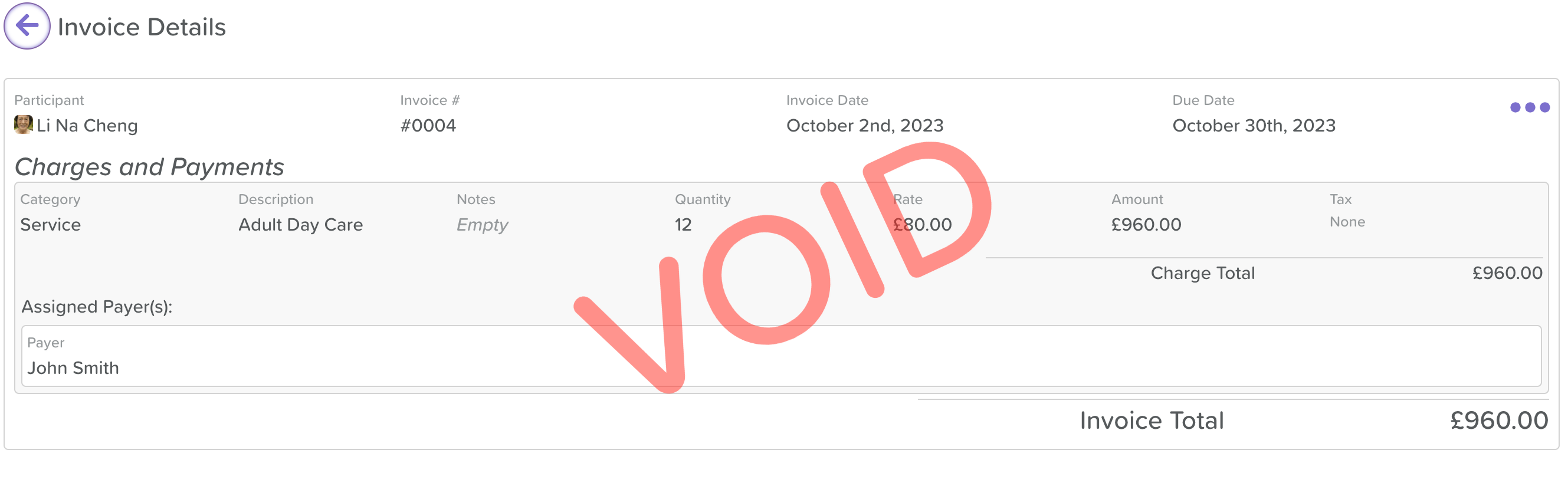
You will then see VOID in red letters appear across your screen
You will also see the status of the invoice now says Void

Was this article helpful?
Sorry about that! Care to tell us more?