
How to Access Group Portal
Group Portal is a centralized dashboard designed for organizations that operate multiple StoriiCare accounts across different locations or service branches. It allows management teams to view cross-location data, manage multi-site staff access, and streamline system-wide setup tasks.
Group Portal accounts are created by the StoriiCare team, and the primary login credentials (Admin user) are shared with management during onboarding.
What You Can Do in Group Portal
From Group Portal, users can:
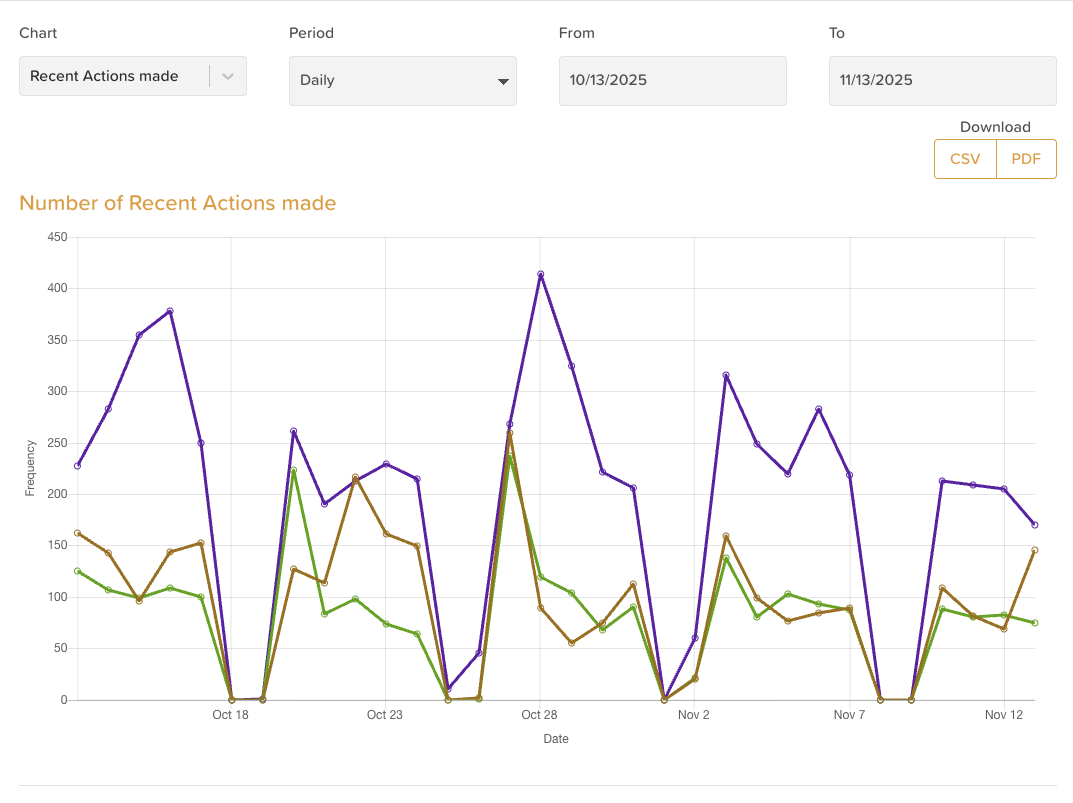
View Cross-Location Data
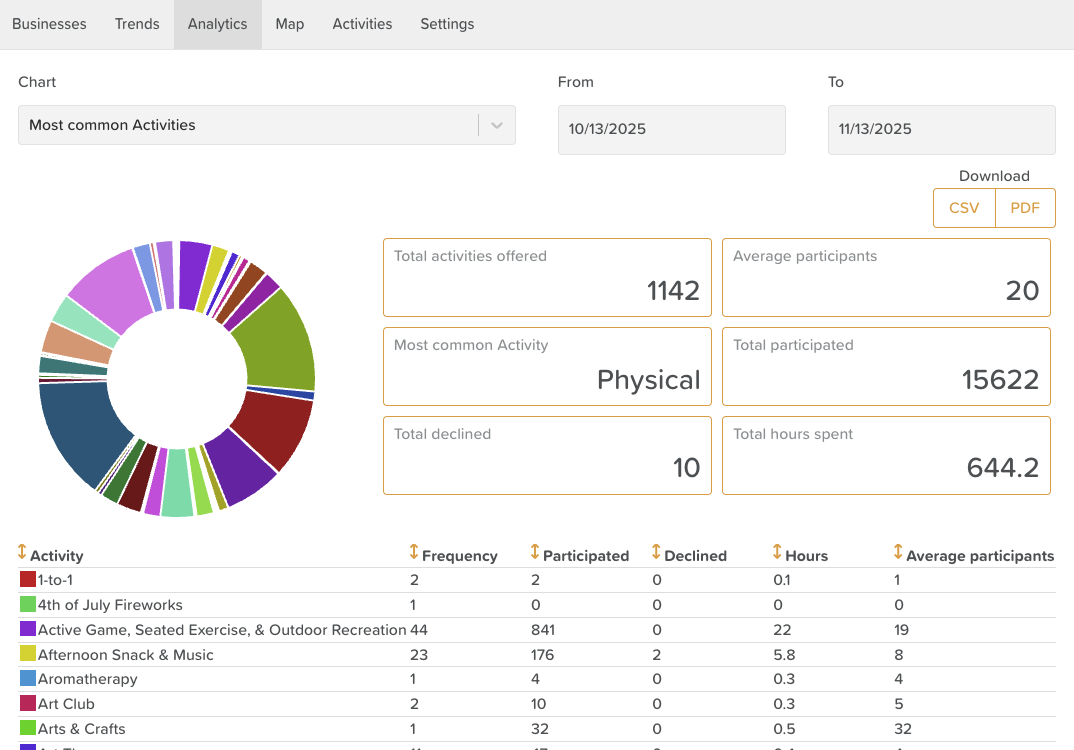
Access Trends across all locations
View Analytics for multi-site reporting
Bulk Import Profiles
Import multiple Staff profiles at once
Import multiple Participant profiles at once
Manage Activity Types
Manage activity types across all relevant locations (for the Calendar feature)
Manage Staff Access
The Admin / primary user can grant staff access to multiple StoriiCare locations
This option is only available from Group Portal Settings
How to Log In to Group Portal
Group Portal is separate from StoriiCare and cannot be accessed through a StoriiCare account.
Access Group Portal here:
👉 https://group.storiicare.com
To sign in:
Enter the username and password provided to your organization by StoriiCare.
These credentials were shared with management during onboarding.
If you no longer have access to your Group Portal login details, email: team@storii.com
Inviting Staff to Group Portal (View-Only Access)
You may invite additional staff to the Group Portal if you’d like them to have access to Trends and Analytics, but not to Settings.
To grant staff access:
Log in to Group Portal
Click the Settings tab
In the left sidebar, select Storii Group Portal Access
Click Invite
Enter the email address(es) of the staff you want to invite
Click Send
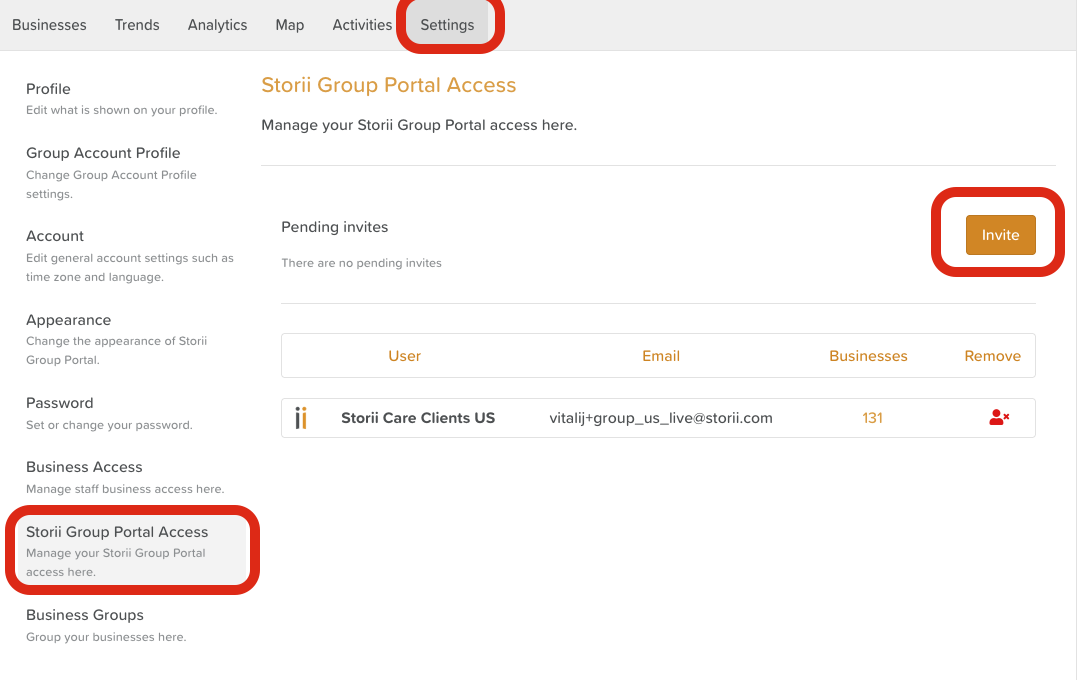
Invited staff will receive an email with access instructions.
⚠️ Important: Invited staff will NOT have access to Group Portal Settings.
Only the primary Admin login can manage staff access across locations.
Need More Help?
If you need further assistance, you can reach out to our support team by emailing support@storii.com. Our support team is ready to help you with any questions or issues you may have.