
How to Delete Media
Edited
How to Delete a Folder (album)
Go to the Media section
Click on the three dot (...) icon in the top, left hand corner of the folder thumbnail
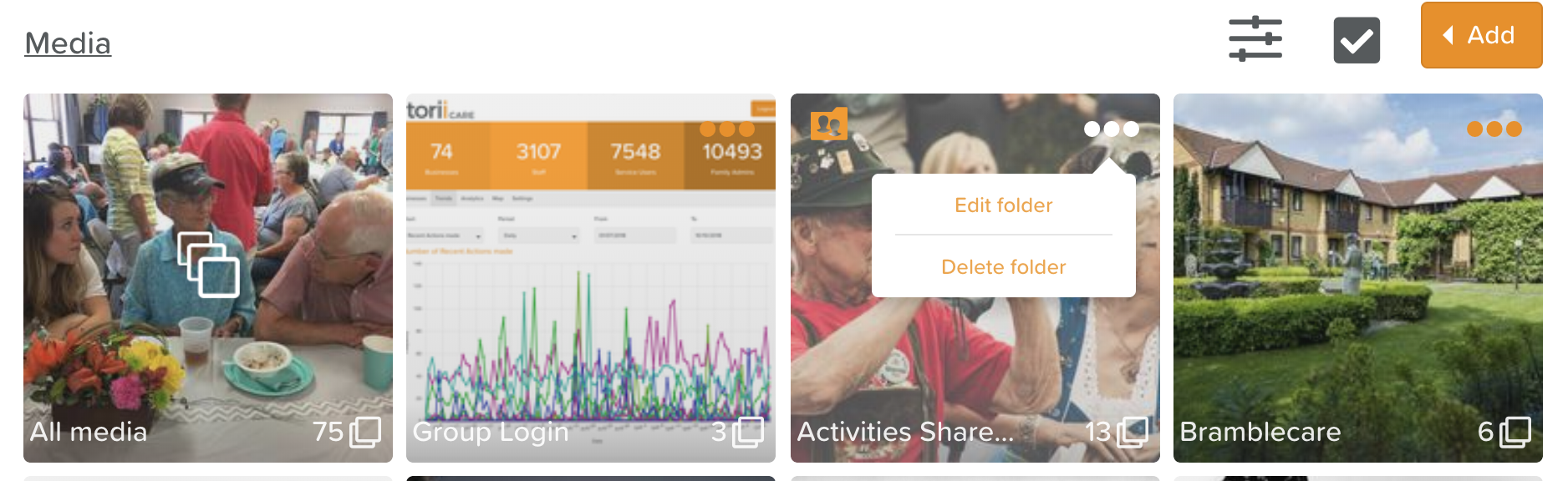
3. Select Delete folder
How to Delete an Image
Go to the Media section
Click into the folder where the image you want to delete is
Click on the image you want to delete
Click on the three dot (...) icon in the left hand corner of the screen
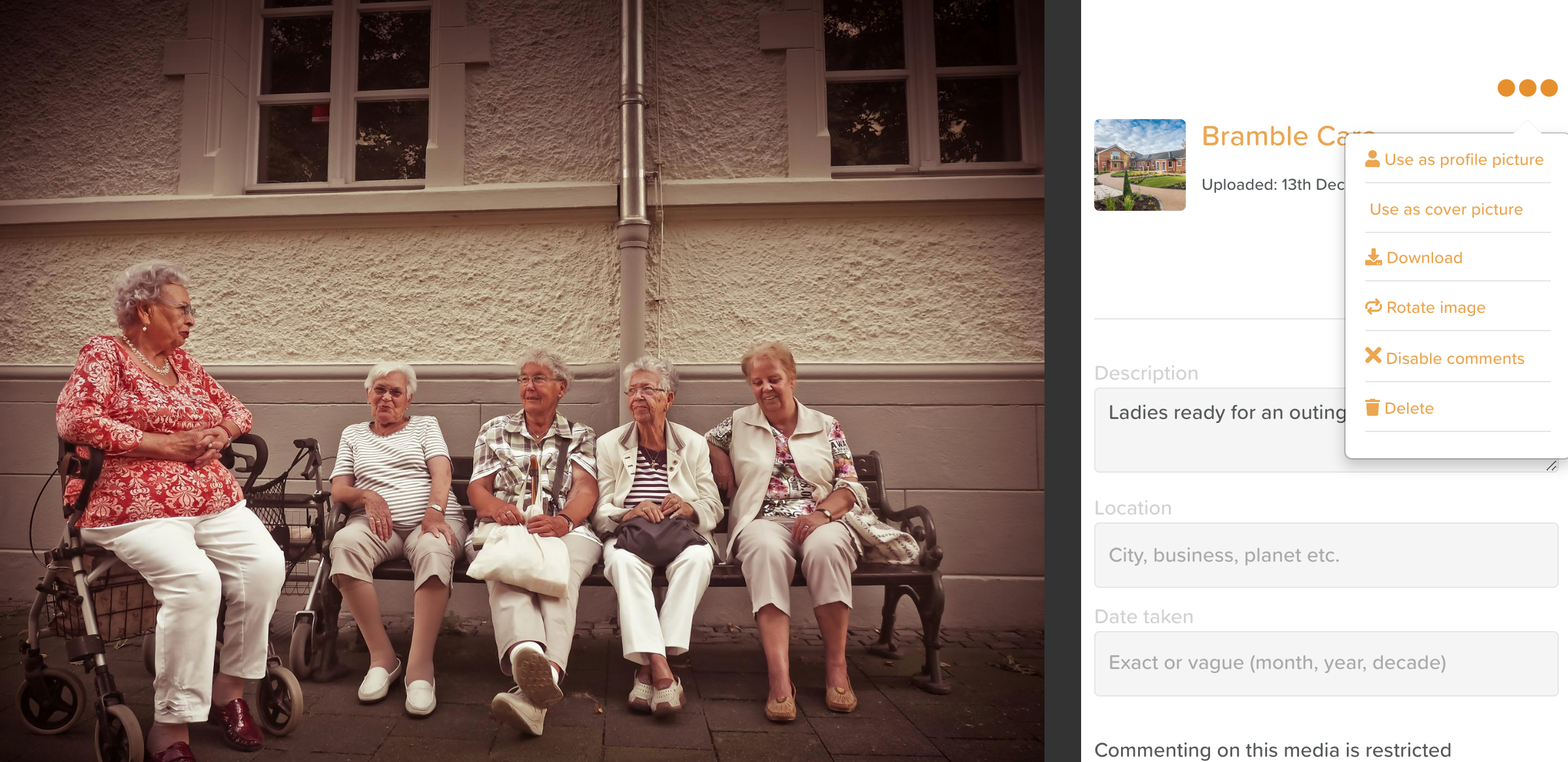
5. Select Delete from the menu
Was this article helpful?
Sorry about that! Care to tell us more?