
How to Update the Master Password
The Master Password is the password associated with your organisation's business account and is used to sign in as the business. For security purposes, only a staff profile with Super User access — typically the business administrator or manager — can view or update the Master Password.
How to Update the Master Password
Open Business Settings from the bottom left-hand corner of the screen
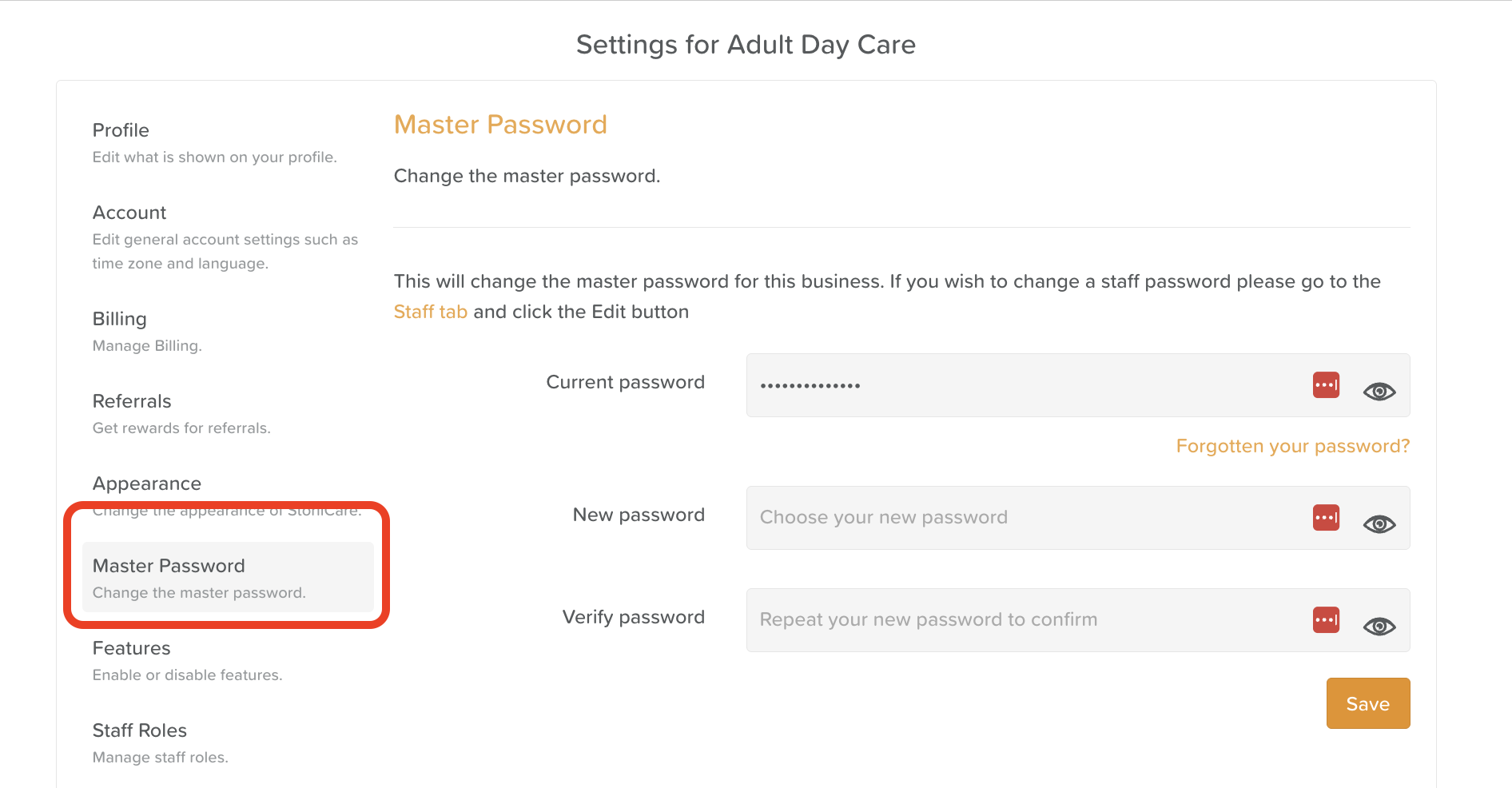
Click on the Master Password tab
If the Master Password tab is not visible, your profile does not have Super User permission. Contact your administrator for assistance.
Enter the current Master Password and the new password in the fields provided
Click Save
When to Update the Master Password
During onboarding — replace the temporary password provided by StoriiCare with a secure password of your choosing
When system access responsibilities change — update the password if the staff member responsible for managing system access changes
For routine security purposes — if your organisation requires periodic password updates as part of its security policy
Need More Help?
If you need further assistance, you can reach out to our support team by emailing support@storii.com. Our support team is ready to help you with any questions or issues you may have.