
How to Manage Location Options in the Calendar
Location options can be added to the Calendar to specify where activities and events are taking place. Each location can be assigned a short key that appears on Calendar exports, helping to keep printed and downloaded calendars clean and readable.
How to Add a New Location
Open the Calendar feature
Click the settings wheel icon to access Calendar Settings
Select the Custom Elements tab
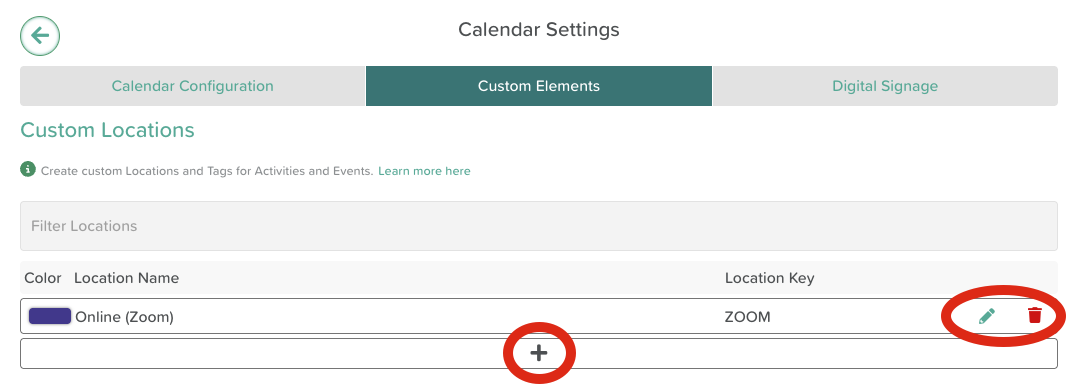
Click the + button to add a new location
Enter a Location Name (e.g. The Conference Room)
Enter a Location Key — a short abbreviation or shorthand that will appear on Calendar exports in place of the full name (e.g. CON for Conference Room)
How to Edit or Remove a Location
Open the Calendar feature
Click the settings wheel icon to access Calendar Settings
Select the Custom Elements tab
Click the pencil icon next to a location to update its Name or Location Key
Click the colour box to adjust the location's badge colour
Click the trash can icon to remove the location option
Need More Help?
If you need further assistance, you can reach out to our support team by emailing support@storii.com. Our support team is ready to help you with any questions or issues you may have.