
How to Add a Home Care Schedule
Introduction
The Schedule feature in StoriiCare simplifies planning and organizing Participant and Staff attendance, as well as transportation and Home Care visits. It allows users to pre-schedule arrival and departure times for Staff, Participants, and Drivers. By using the Schedule tool, users can efficiently manage daily operations with a clear and organized overview. Follow the steps below to schedule Home Care visits using the Schedule feature.
Steps to Add a Home Care Schedule:
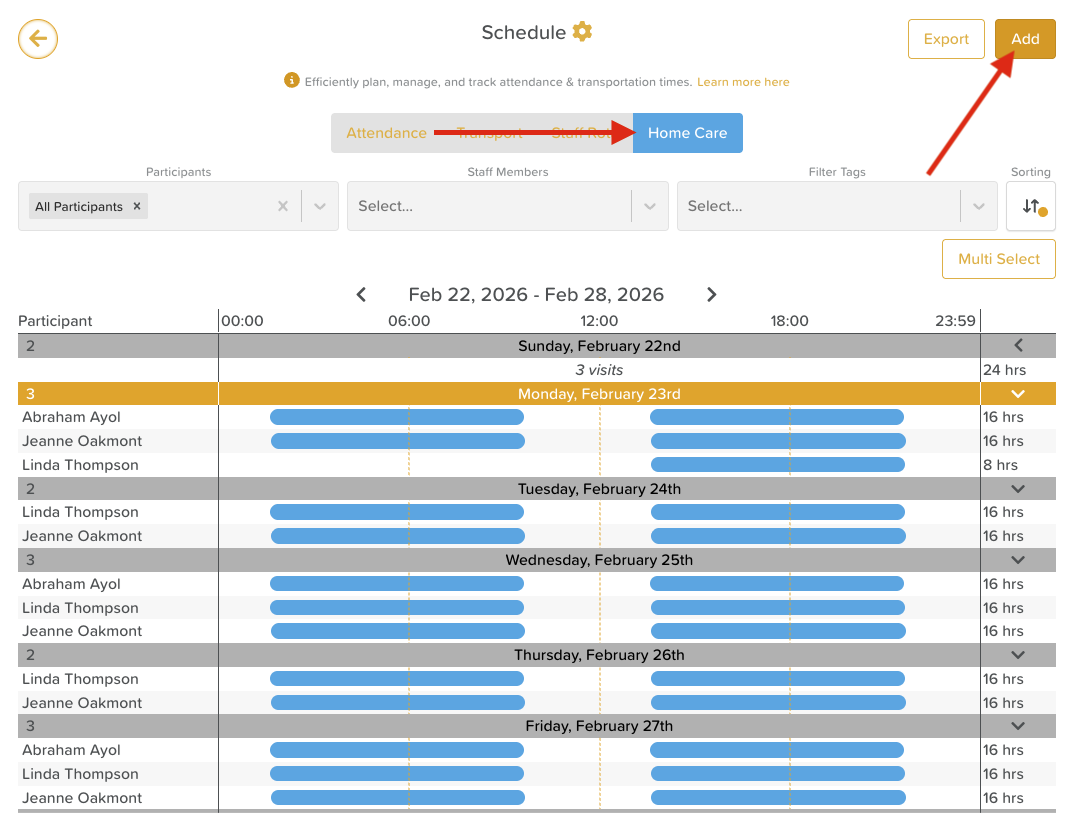
On the StoriiCare Dashboard, select Schedule.

Select the Home Care tab and click Add.
Click Next
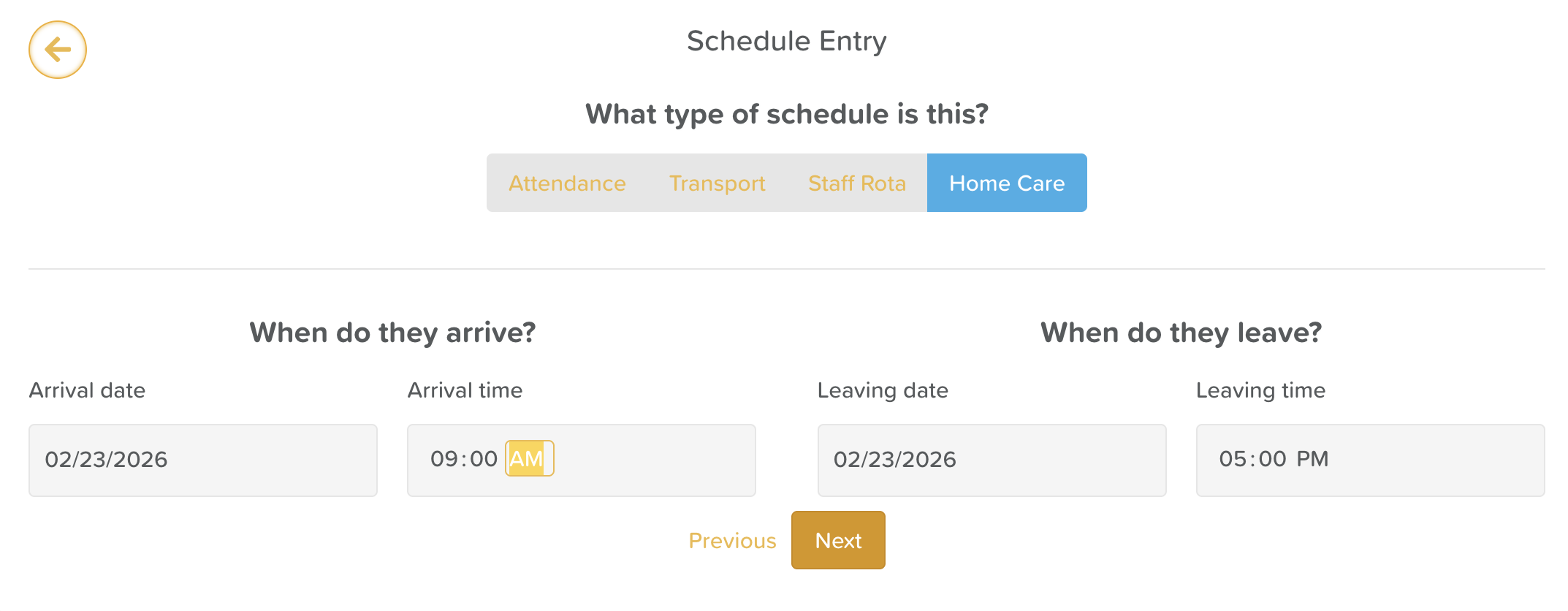
Choose the arrival date and time.
Select the leaving date and time. The arrival date and leaving date will be the same, with the exception of overnight care.
Click Next.
Schedule Frequency:
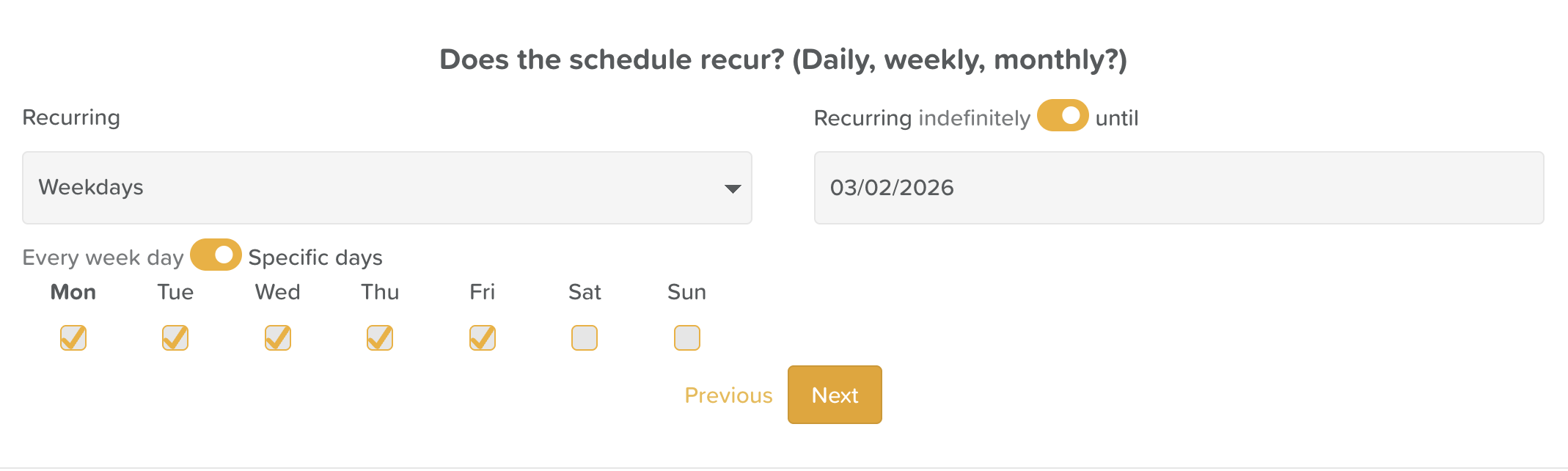
For a one-time schedule, leave as Not Recurring.
For recurring schedules, choose Weekdays to easily schedule visits for multiple days within a week.
If the schedule should recur until a specific date, click the toggle Recurring Indefinitely and set the end date using the calendar selection tool.
Click Next
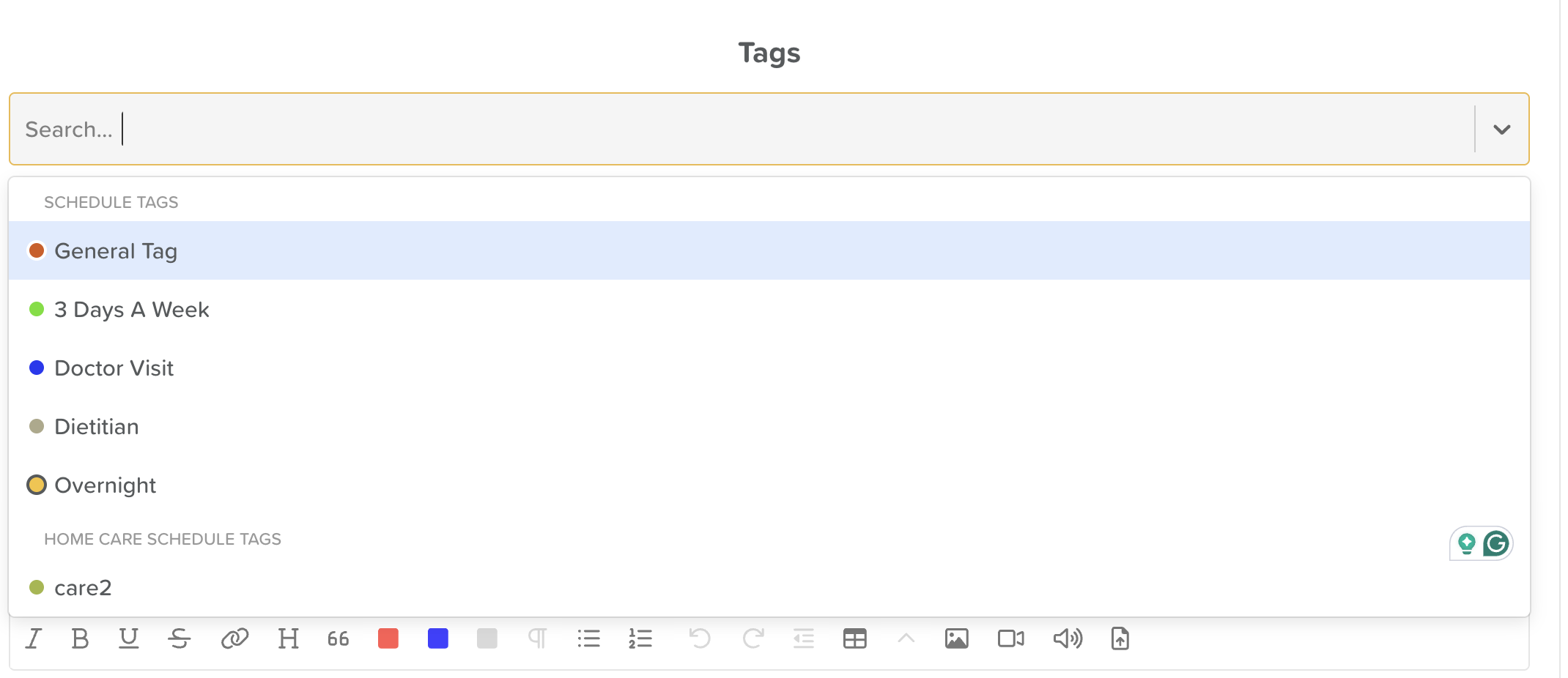
Assign Tags (optional): To assign a tag(s) to this schedule, select from the drop-down menu.
If a new tag is needed, follow this article on how to add it.
Tags are optional, but can help organize visits and display important information. When viewing the Home Care Schedule on StoriiCare, you can filter by Tags to see all participants with "2-assists" needed, for example.
Assigning Participants and Staff:
Click the No Participants box to open a drop-down menu where you can select the Participant(s) being visited.
Selected Participants will have a colored band around their name. You will notice the selection number update in real time just below the search bar as you select or unselect Service Users.
Use the search bar to find Participants by name or group tags for those already assigned to a group.
Once selected, click the back arrow.
Repeat the same steps for the Staff box, assigning the specific staff member(s) responsible for attending that Home Care Visit.

If needed, add a note to the schedule.
Keep in mind, this note will appear for all scheduled Home Care visits if you are scheduling a recurring visit.
Click Save to complete the schedule setup.
How Staff Access Home Care Schedules
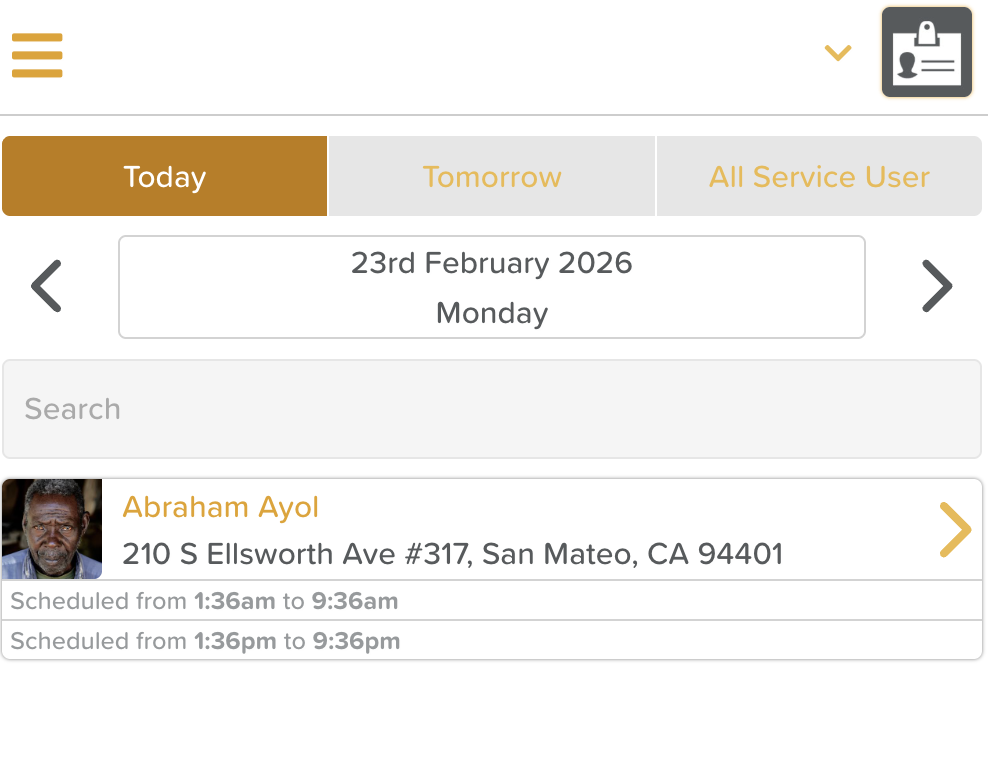
The Home Care Schedule in StoriiCare dictates what displays in the Home Care App.
On the main dashboard of the Home Care App, Staff can see a list of their scheduled visits.
By default, the app will display the visits for that day. To navigate, users can:
Click on the Date to open the Calendar view and select a specific date
Use the arrows to the right and left of the date to move forward and backward in time
Click on the Tomorrow tab at the top to view the next day's schedule
See: A Guide to Home Care
Need More Help?
If you need further assistance, you can reach out to our support team by emailing support@storii.com. Our support team is ready to help you with any questions or issues you may have.