
How to Alphabetize Participant Lists
To improve consistency and make it easier to find people quickly, Staff and Participant lists across StoriiCare now display in alphabetical order. Users can also choose how these lists are sorted based on their personal preference.
This guide explains where alphabetical sorting applies and how to set your preferred order.
Where Alphabetical Sorting Is Used
Alphabetical sorting is available across multiple areas of StoriiCare, including:
Staff filters
Participant filters
Groups
Schedules
Schedule exports
This ensures a more predictable and user-friendly experience when navigating large lists.
How to Set Your Preferred Alphabetical Order (A–Z or Z–A)
To choose how Staff and Participant lists are sorted:
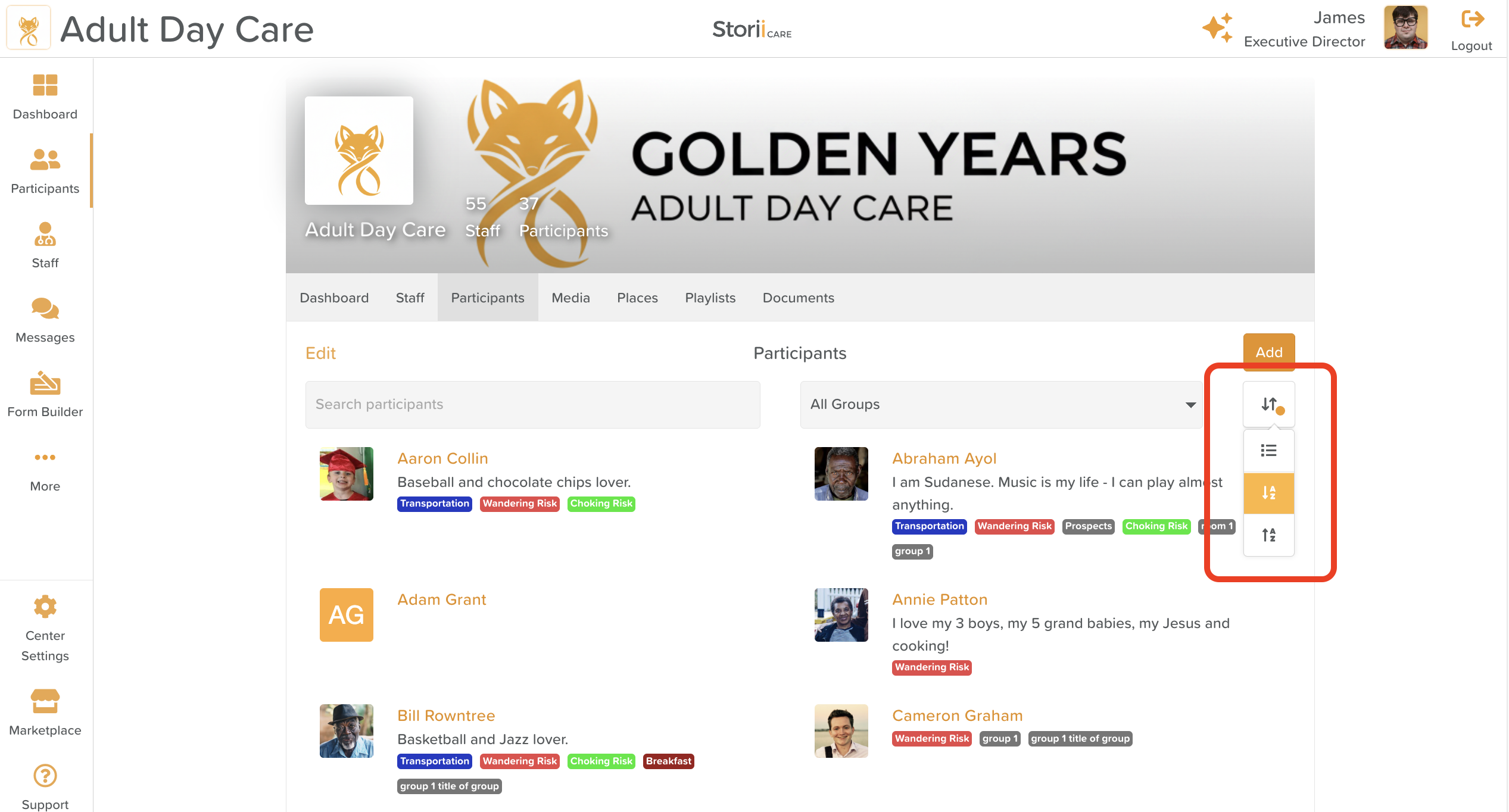
Go to the Staff tab or the Participants tab.
Click the Sorting button on the right-hand side.
Select your preferred order:
A to Z
Z to A
Important Notes
This sorting preference is specific to your staff profile.
Once set, it will save as your default and apply anywhere Staff or Participant filters are used.
Groups Sorting
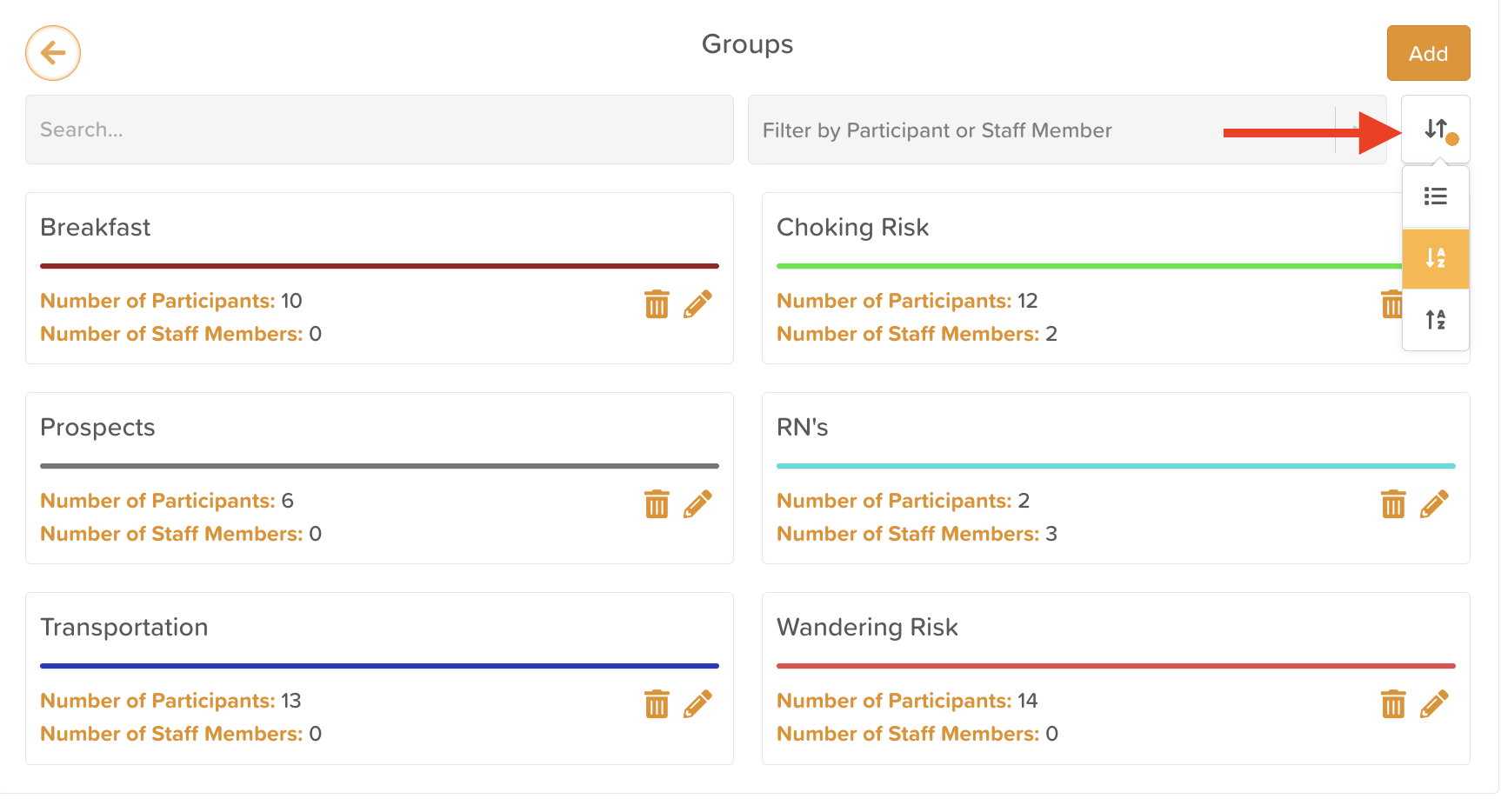
The Groups feature automatically displays groups in alphabetical order.
At this time, Group sorting is fixed and does not require configuration.
Schedule Sorting Options
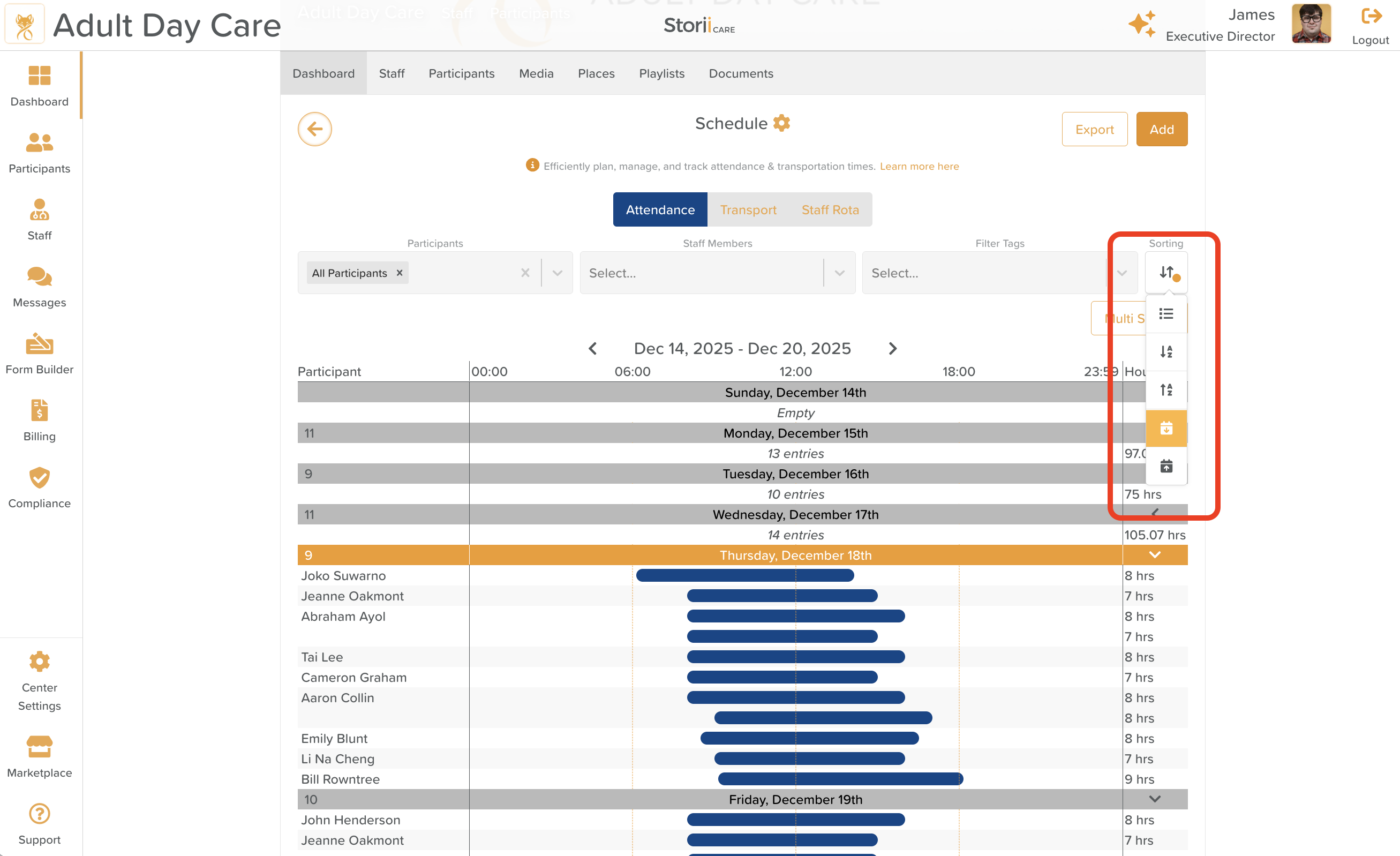
Schedules offer additional flexibility:
Entries can be sorted alphabetically (by participant name)
Or sorted by arrival time
To change the order:
Click the Sorting button on the right-hand side of the Schedule view.
Select your preferred sorting option.
Schedule Exports
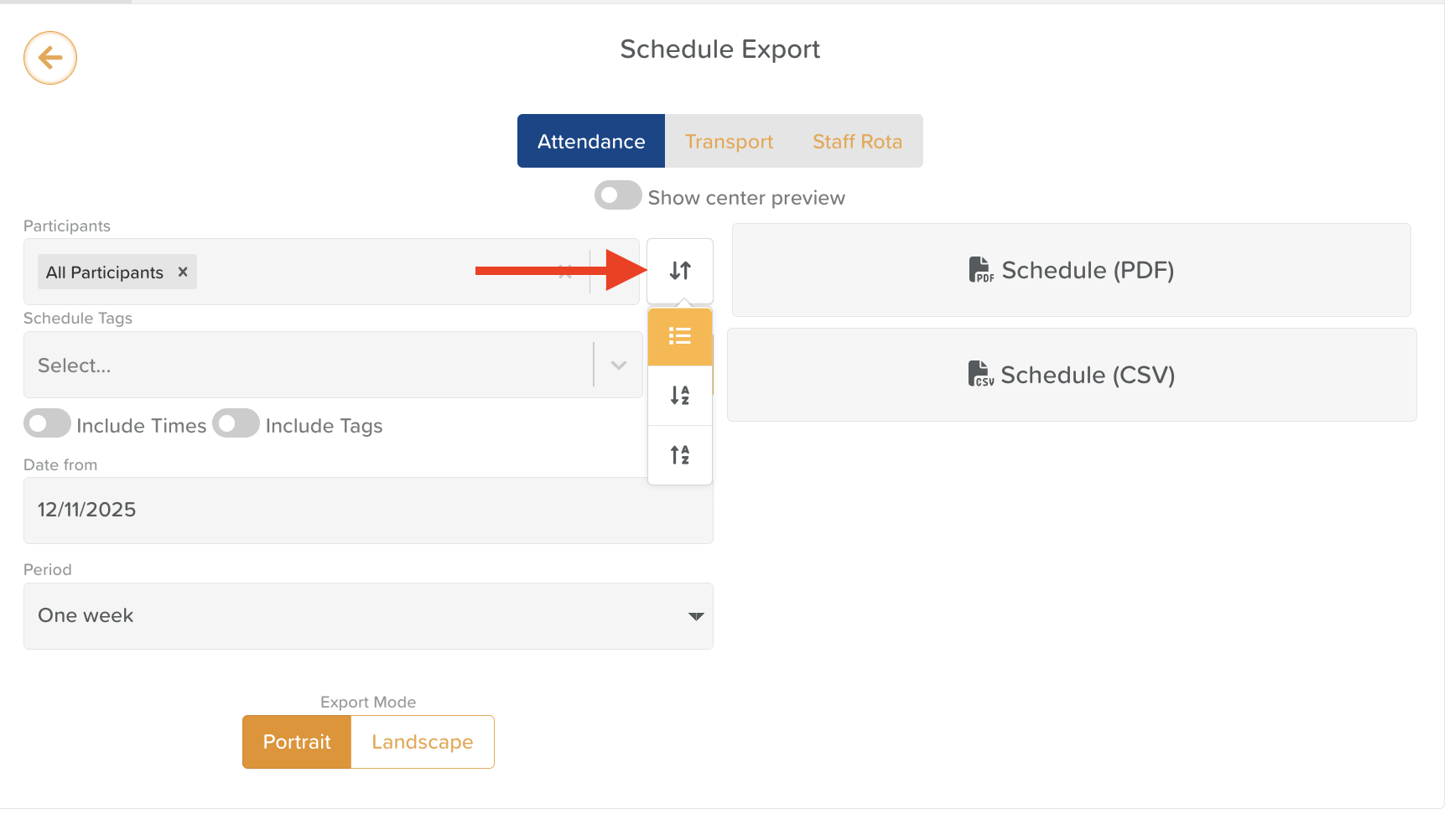
When exporting schedules, you can also choose to:
Sort entries alphabetically, or
Maintain the default time-based order
Use the Sorting options before exporting to ensure the report is formatted the way you need.
Need More Help?
If you need further assistance, you can reach out to our support team by emailing support@storii.com. Our support team is ready to help you with any questions or issues you may have.