
How to Run Eligibility Checks in StoriiCare
Eligibility Checks in StoriiCare help you verify a participant’s insurance coverage, benefits, and service eligibility directly from the Billing section. Eligibility now has its own dedicated tab, making it easier to manage and track checks.
Users cannot automatically access the Eligibility tab. To use this feature, you need to be submitting reimbursement claims through StoriiCare via Stedi. To enable the Eligibility tab on your account, contact team@storii.com.
Where to Find Eligibility Checks
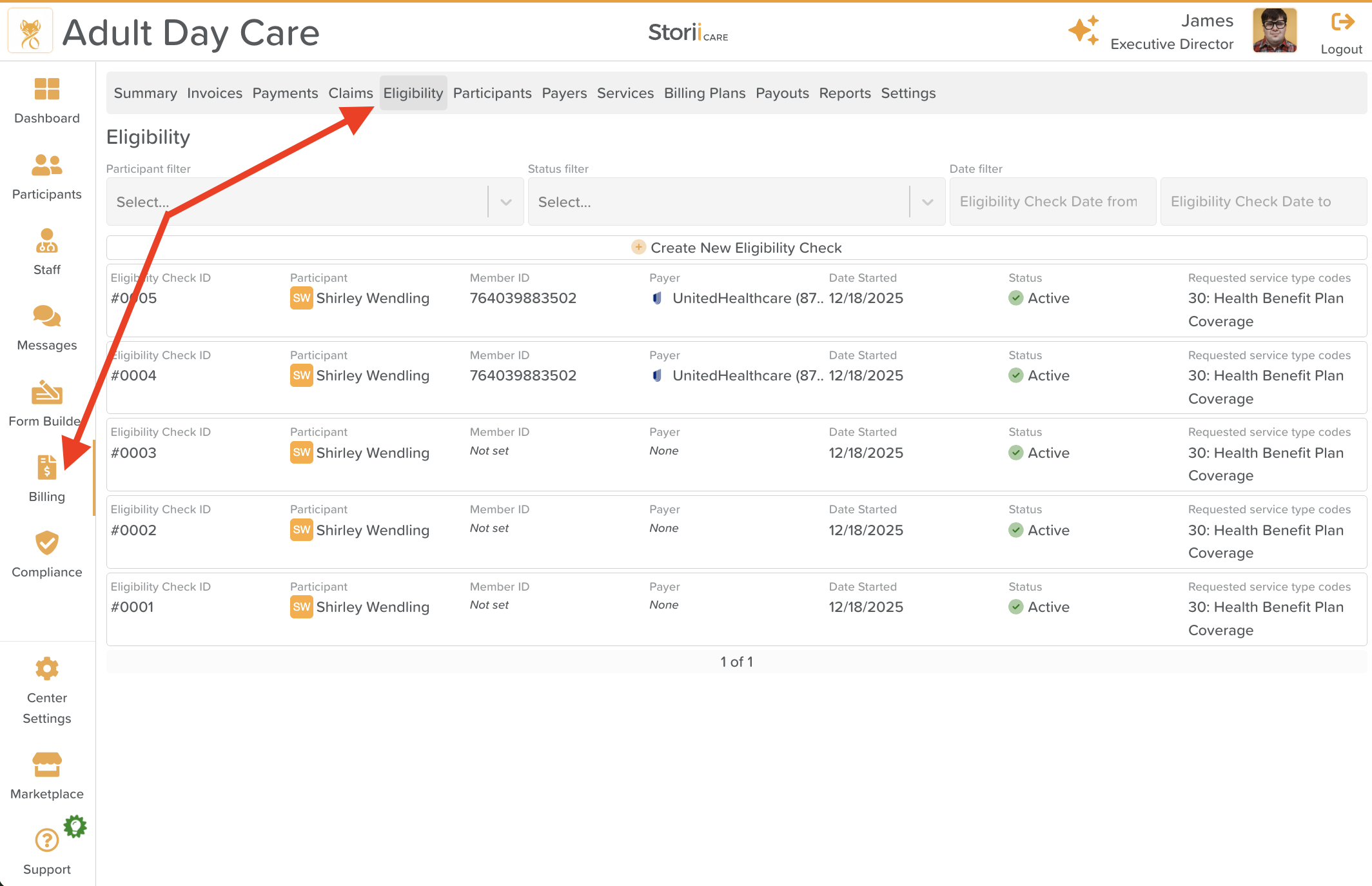
Navigate to Billing
Click the Eligibility tab
From here, you can view all eligibility checks, their statuses, and related details.
How to Create a New Eligibility Check
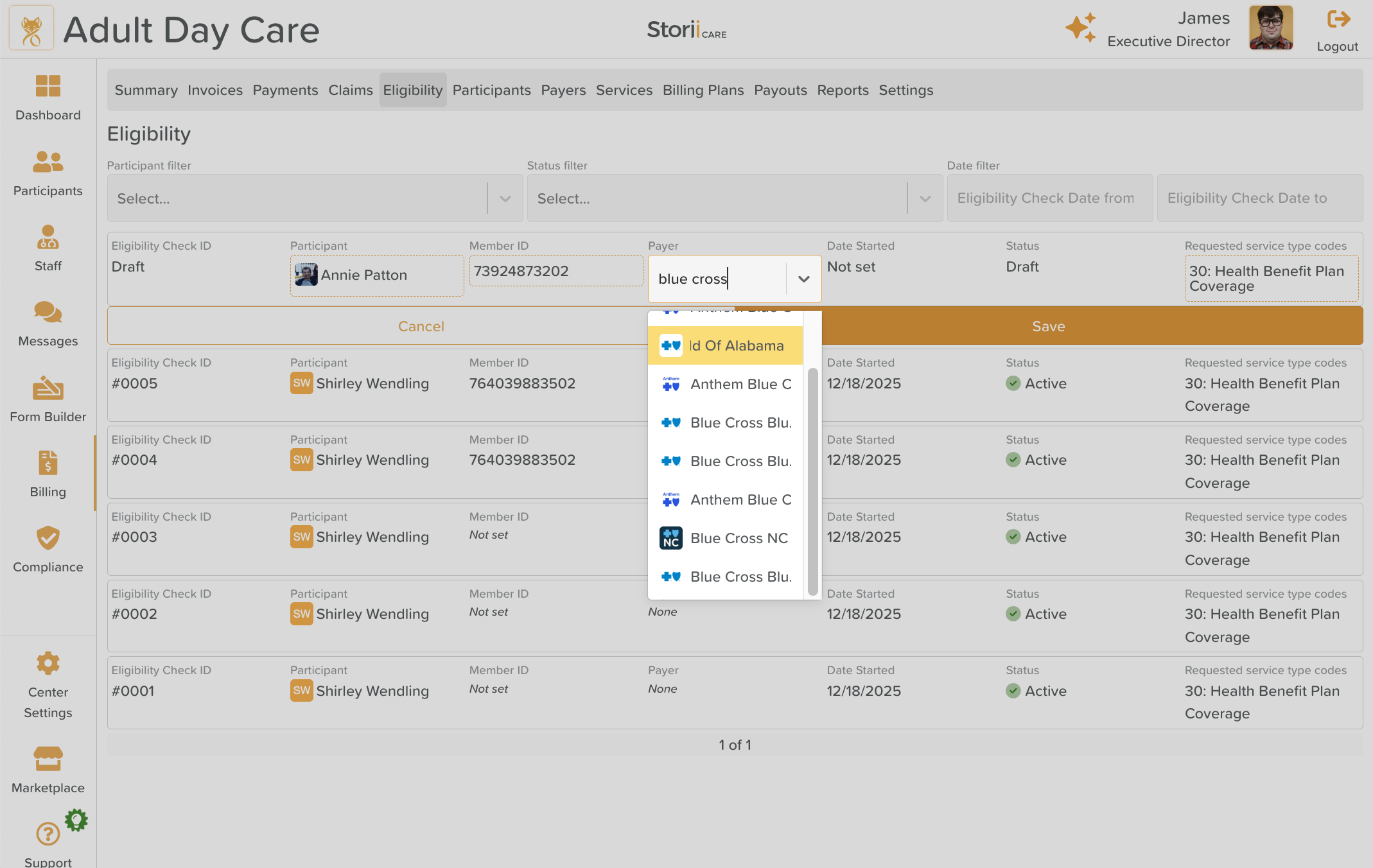
Follow these steps to run an eligibility check:
1. Create a New Eligibility Check
Click Create New Eligibility Check at the top of the Eligibility tab.
2. Select a Participant
Choose the participant you want to check eligibility for from the Participant dropdown.
3. Enter the Member ID
Enter the participant’s Member ID exactly as it appears on their insurance card.
4. Select a Payer
Choose the insurance Payer (e.g., Medicaid, Blue Cross, Humana, etc.) from the dropdown list.
5. Select Requested Service Type Codes
Choose one or more Requested Service Type Codes that apply to the services you want to verify.
Multiple codes can be selected in a single eligibility check.
6. Save the Eligibility Check
Click Save to submit the eligibility check.
What Happens After You Save

Once saved, StoriiCare automatically:
Assigns a unique Eligibility Check #ID
Sets a Start Date
Processes the eligibility request
You’ll see the new check appear in the list immediately.
Understanding Eligibility Statuses
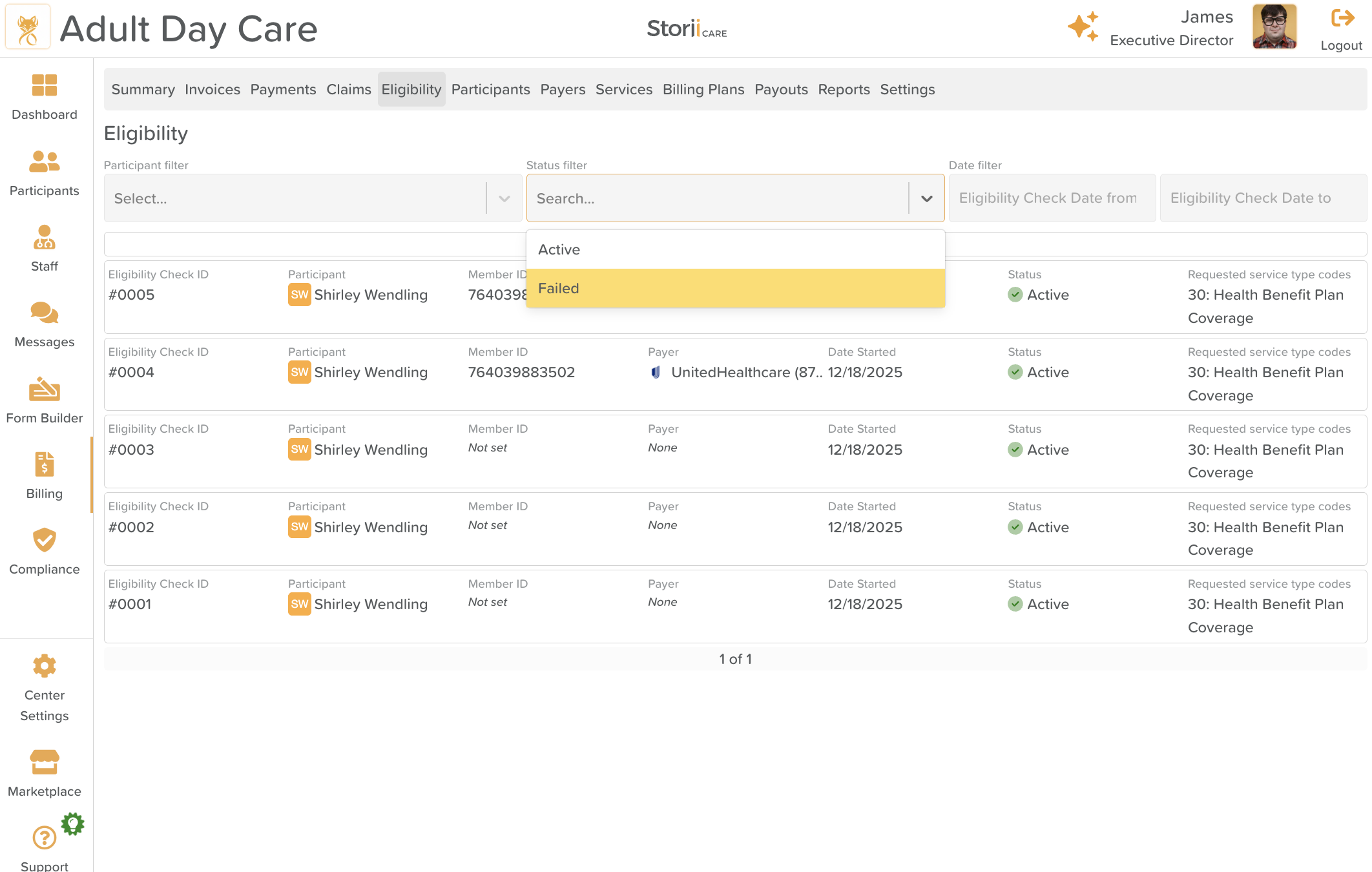
The Status column shows the result of each eligibility check:
Active ✅ – The eligibility check was successful and coverage details are available.
Failed ❌ – The check could not be completed (for example, due to incorrect information or payer issues).
Viewing Eligibility Details
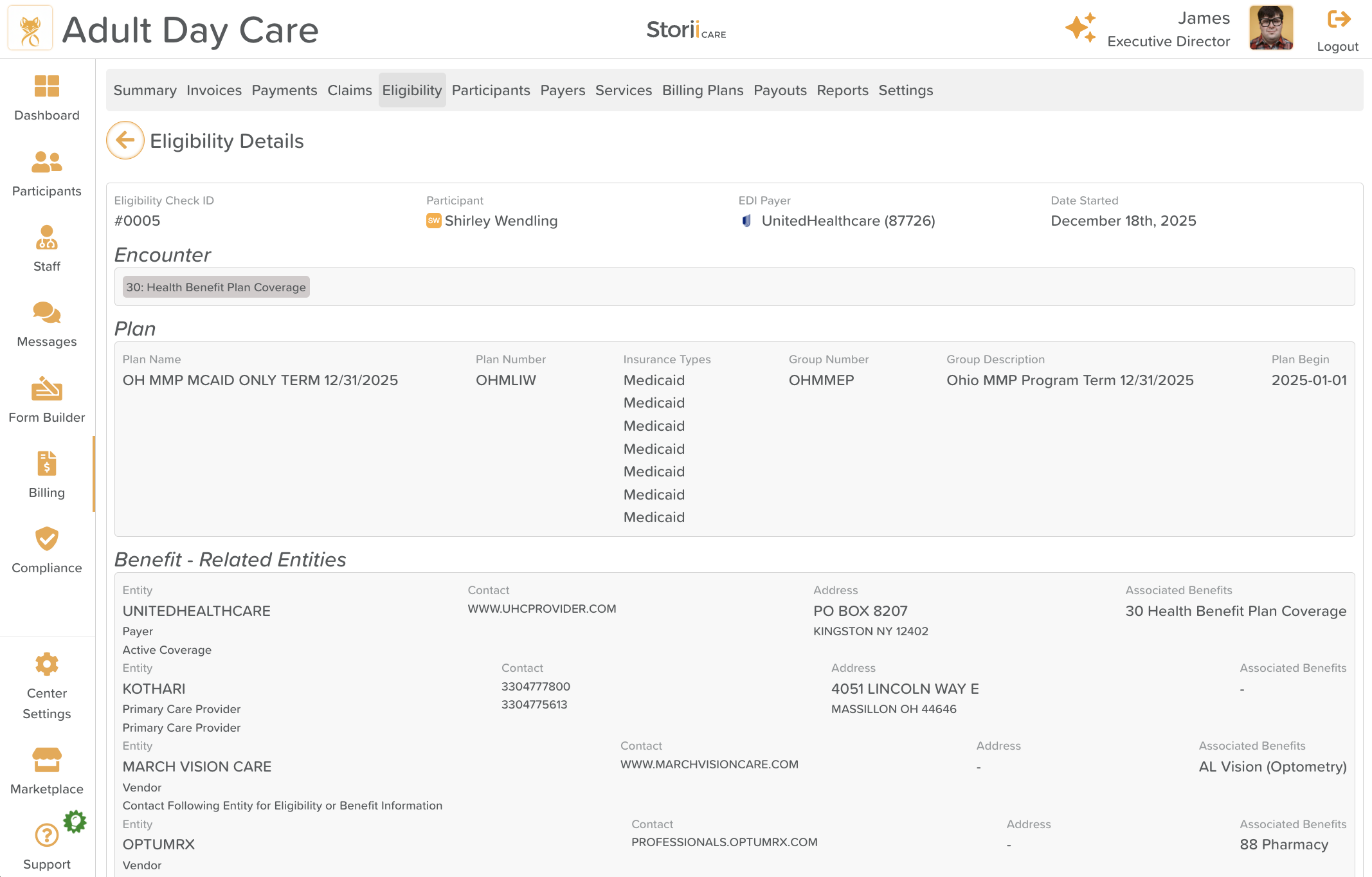
Click on an Eligibility Check to open the Eligibility Details page.
This page provides detailed information about:
The participant’s insurance plan
Coverage status
Benefits and service eligibility
Additional payer-specific details
Tips & Best Practices
Double-check the Member ID before saving to avoid failed checks.
Select all applicable service type codes at once to reduce repeat checks.
Use the Status filter to quickly find failed or active eligibility checks.
Need More Help?
If you need further assistance, you can reach out to our support team by emailing support@storii.com. Our support team is ready to help you with any questions or issues you may have.