
How to Edit a Visit Note
Visit Notes help document third-party health professionals' observations, care interactions, and important updates about participants. Sometimes a note may need to be corrected, clarified, or updated after it’s been saved. StoriiCare allows authorized staff to edit existing Visit Notes at any time.
Follow the steps below to edit a note safely and accurately.
Step 1: Open the Visit Notes Feature
From your Participant profile, click on Visit Notes (or whatever it's called on your system-- the terminology is customizable).
Use filters (optional) to quickly locate the note you want to update:
By Tag
By Flagged notes
By Unread notes
Step 2: Select the Note You Want to Edit
Find the Visit Note entry in the list.
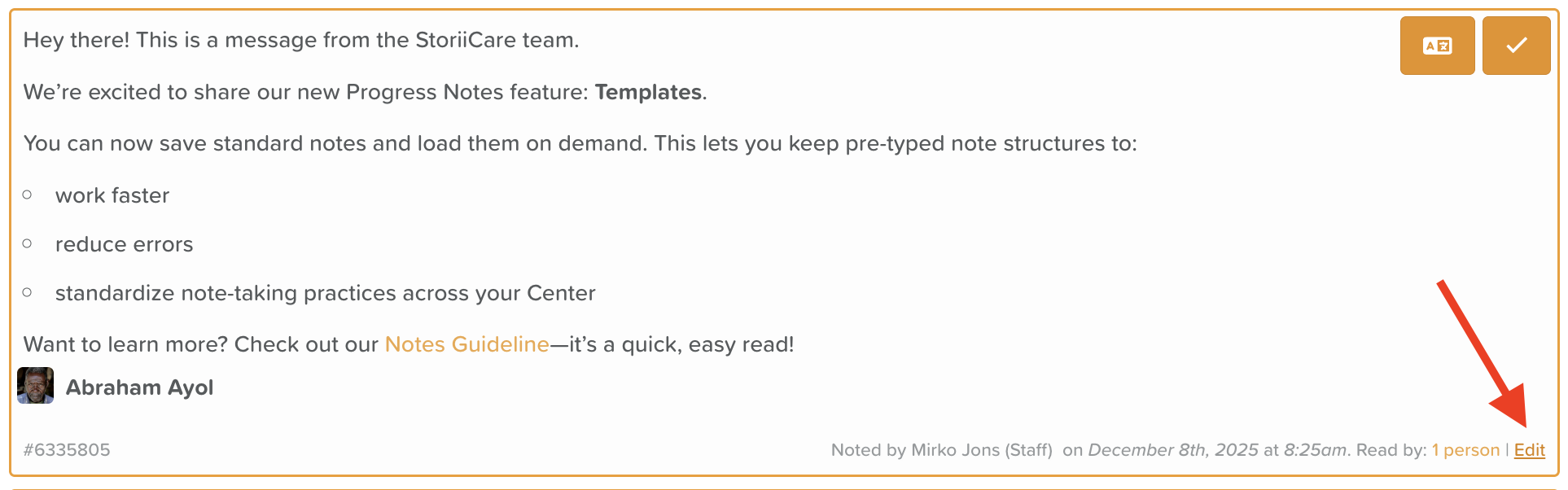
Look for the Edit text located in the bottom right-hand corner of the note.
⚠️ If you do not see the Edit option, you may not have permission to edit notes. Speak with your administrator or supervisor to adjust your permission level.
Step 3: Make Your Edits
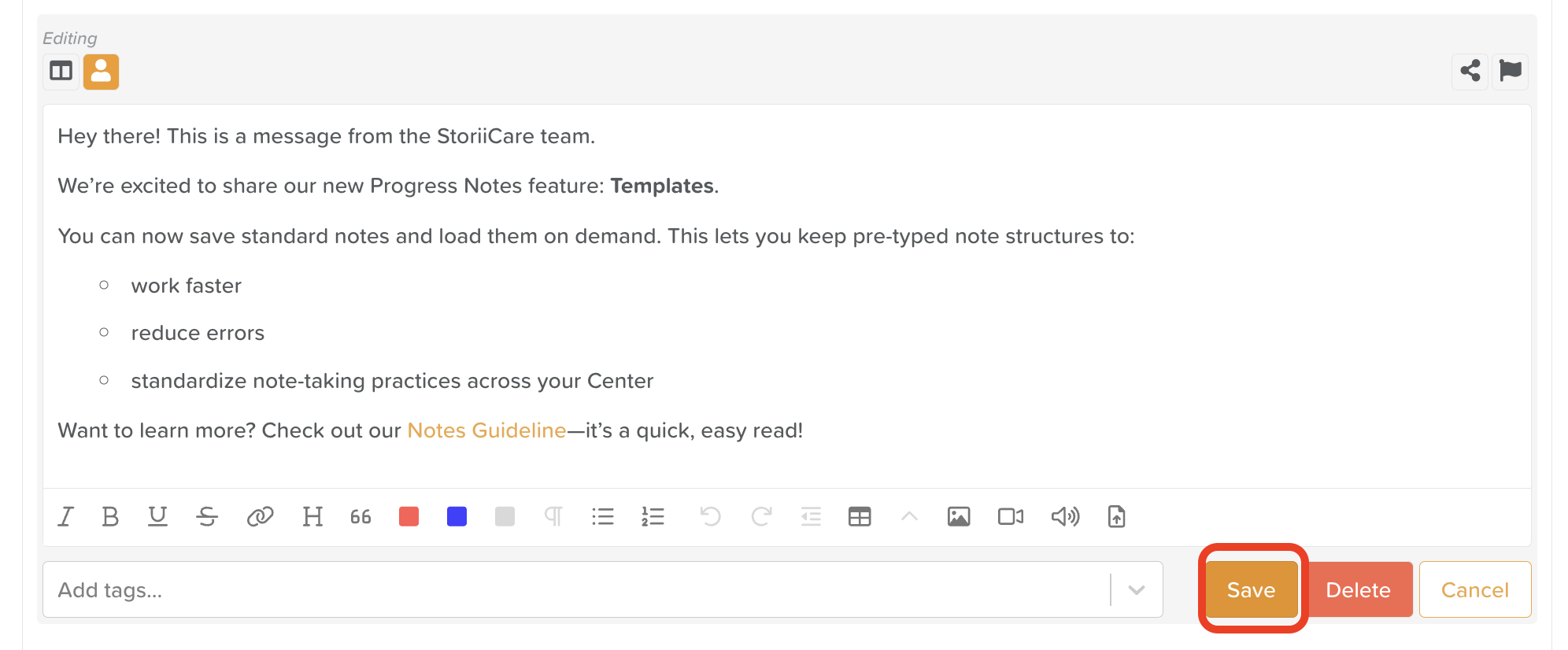
Once in edit mode, you can:
Update or correct the written content
Add additional details
Modify or add tags
Attach or delete files or media (images, videos, documents)
Adjust formatting using the rich text editor
Rich text tools allow you to:
Change text color
Create bullet or numbered lists
Add hyperlinks
Insert files or media for enhanced documentation
Step 4: Save Your Changes
After making your updates, click Save.
Your changes will now appear in the Visit Notes list.
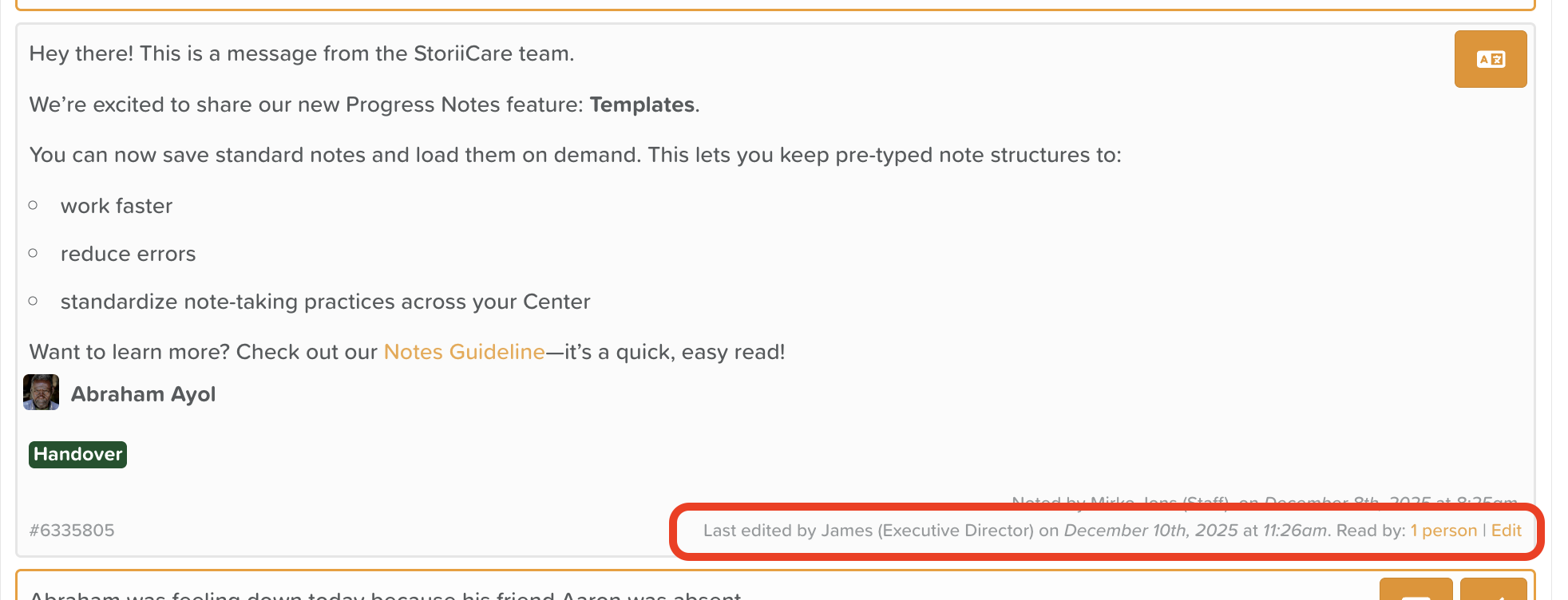
The note will display an edit log in the bottom right corner.
Best Practices When Editing Notes
Keep edits factual and consistent with organizational documentation standards.
Add clarifying details rather than completely rewriting entries when possible.
If you corrected an error or added important new information, consider adding a line such as “Updated on [date] to reflect…”
Need More Help?
If you need further assistance, you can reach out to our support team by emailing support@storii.com. Our support team is ready to help you with any questions or issues you may have.