
A Guide to Billing Reports (Aged Receivables & Payments)
Billing Reports help you track what’s owed, who owes it, and what’s been paid — all in one place. These reports are designed to make reconciliation and follow-up easier without needing to open individual invoices or participant profiles.
From Billing Reports, you can view outstanding balances, analyze aging, and export AR/payment data for your accounting or leadership team.
Where to Find Billing Reports
In the left-hand menu, go to Billing.
Select Reports.
In most reports, you’ll be able to filter by date range, payer, and/or participant.
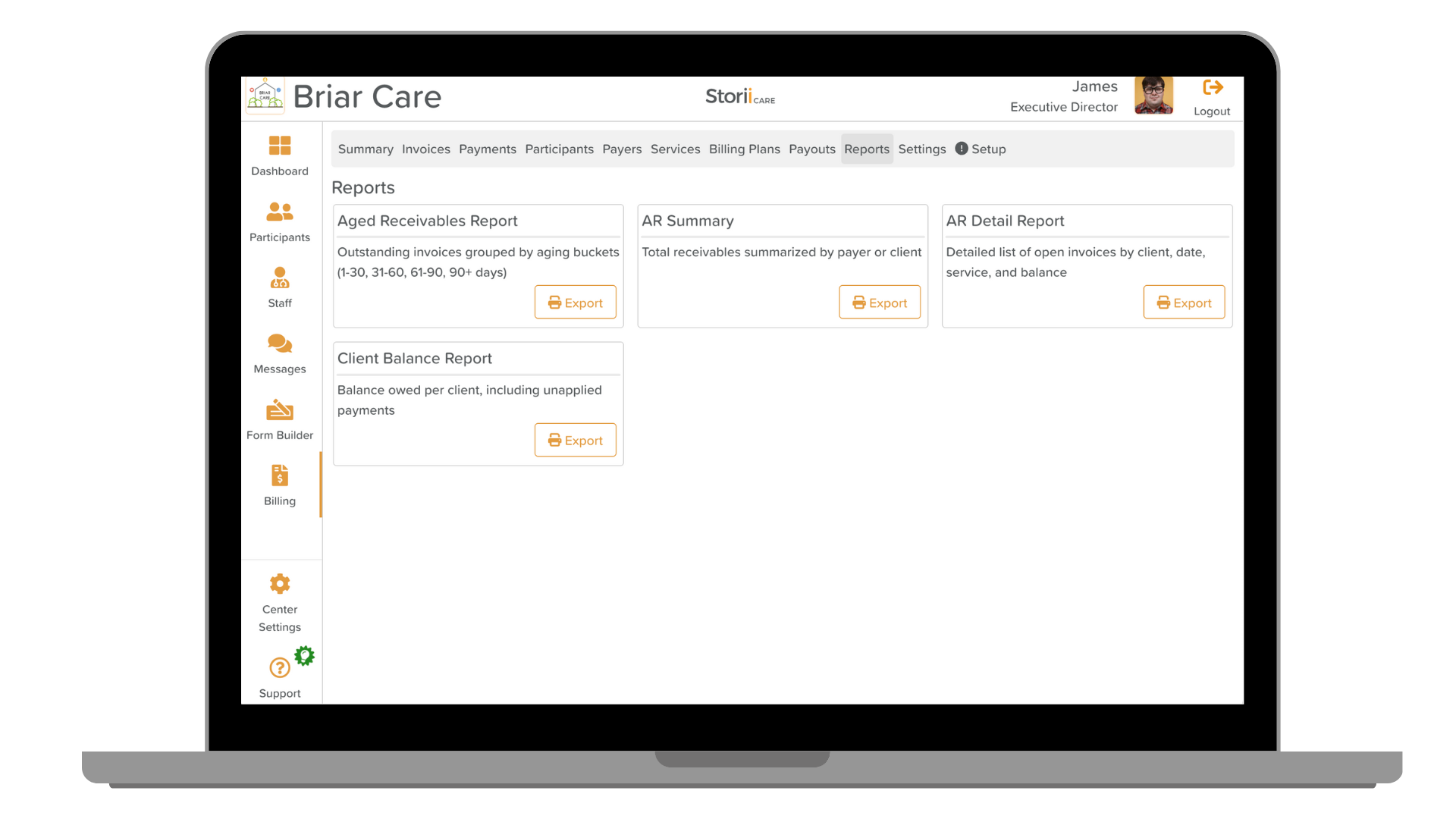

Available Billing Reports
Aged Receivables Report
This report shows all outstanding invoices grouped by aging buckets:
1–30 days
31–60 days
61–90 days
90+ days
Use this report to quickly identify overdue balances and prioritize collections. Before downloading, you'll have the option to include negative balances, if desired.

AR Summary
A high-level view of total receivables, summarized by:
Payer, or
Participant
This is the quickest snapshot of AR, ideal for monthly close or leadership updates.

AR Detail Report
A line-by-line list of open invoices including:
Participant
Date of invoice
Service
Balance due
Use this report for detailed follow-up, audits, or reconciliation. Before downloading, you'll have the option to show only open balances, if desired.

Participant Balance Report
Shows the total balance owed per participant, including any unapplied payments (payments received but not linked to invoices yet).
This is helpful for identifying credit balances or accounts needing payment matching.

Payment Summary Report
Shows all payments received over a selected period, grouped by payer, with totals only.
Useful for tracking revenue patterns and reconciling payer deposits.

Payment Detail Report
A detailed payment ledger showing:
Payment date
Participant/client
Amount
Payer
This is the most granular payment report and supports a full audit trail.

Other Billing-related Exports
In case you are looking for:
Need More Help?
If you need further assistance, you can reach out to our support team by emailing support@storii.com. Our support team is ready to help you with any questions or issues you may have.