
How to Import Participant Lists in Group Portal
While participant profiles are often created individually within StoriiCare, you may need to bulk import participants—especially when opening a new location or onboarding a large number of individuals. This can be done quickly and efficiently through Group Portal (Group Portal is only accessible to StoriiCare clients with multiple business accounts).
Bulk importing ensures participant data is consistent and saves time during setup.
1. Log In to Group Portal
Visit https://group.storiicare.com and sign in using your Group Portal credentials.
2. Select the Location
On the main Group Portal page, find the location where you want to import participants.
Click the document import icon next to the relevant account

3. Download the Import Template
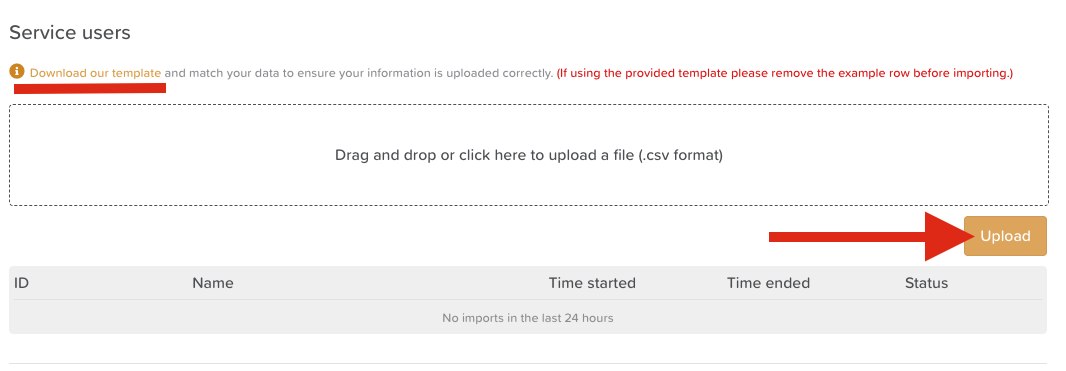
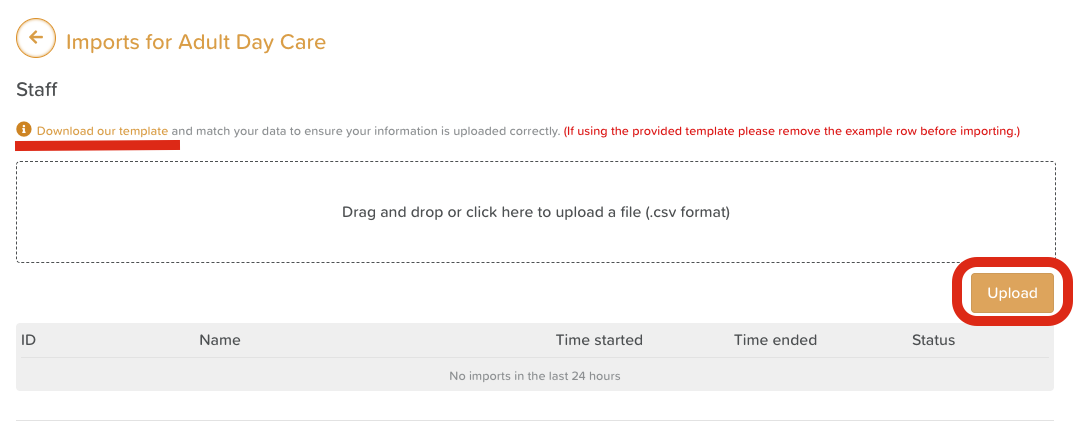
Click “Download our template” to ensure you are using the correct file.
The import will only work if the columns are in this exact order.
✔️ Tip: You do not need to complete every column in the spreadsheet.
✨ Minimum required fields:
Participant Name
Participant Date of Birth
All other columns are optional - this data can be entered in StoriiCare at a later time.
4. Complete the Template File
Fill in your participant information.
Be sure that:
Names are accurate
Date of Births are accurate and written in this format MM/DD/YYYY or DD/MM/YYYY (Depending on your location)
The column order is unchanged
5. Upload the File
Drag and drop your completed template into the upload area, or click to upload manually.
6. Verify Your Upload
After the import is complete, click the house icon next to the account on the Main Group Portal Page to sign in and verify that participant profiles were successfully created.
🧠 Helpful Notes
Bulk participant imports can only be completed through Group Portal, not StoriiCare directly.
If an import fails, re-download a fresh copy of the template to avoid formatting issues.
Need More Help?
If you need further assistance, you can reach out to our support team by emailing support@storii.com. Our support team is ready to help you with any questions or issues you may have.