
How to Edit a Sign In or Sign Out Time
If a sign-in or sign-out time was entered incorrectly, or if you need to update tags or other details, you can edit a Register log directly in StoriiCare.
Steps to Edit a Register Log
Go to the Register:
From the Dashboard, click Register. Select the correct tab (Participants, Staff, Visitors).
Open the Register Logs:
Click View Logs in the top right corner.
Find the Log Entry:
Use filters or the search bar to locate the specific record.
Click on the Entry:
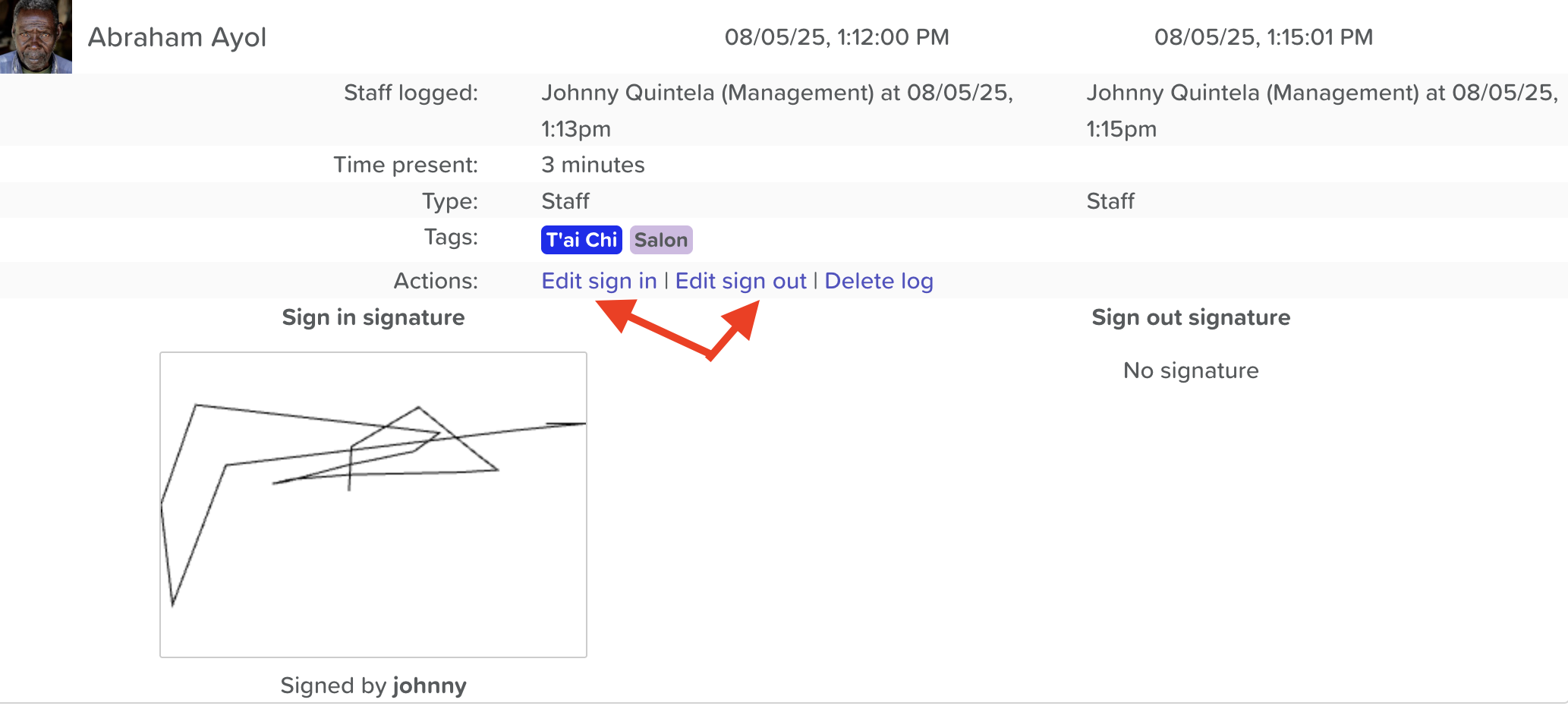
This opens the detailed view of the log.
Choose What to Edit:
Click Edit Sign In or Edit Sign Out as needed.
You can modify:
Time and date
Tags
Digital signature (if applicable)
Save Your Changes:
Click Save to confirm the update.
✅ Tip: You can also delete a log entirely from this view by clicking Delete Log if the entry was created in error.
Need More Help?
If you need further assistance, you can reach out to our support team by emailing support@storii.com. Our support team is ready to help you with any questions or issues you may have.