
How to Bulk Sign In & Out
The Bulk Sign In/Out feature in StoriiCare saves time by allowing staff to sign multiple participants or team members in or out at once. This is especially useful for group arrivals, departures, or transportation routines.
Note: it is not possible to sign in multiple users at once using the Storii Register App - only the Register feature on StoriiCare.
Bulk Sign In
Go to Register:
From the Dashboard, click Register.
Select the Register Type:
Choose Participants or Staff.
Click Sign In for any individual.
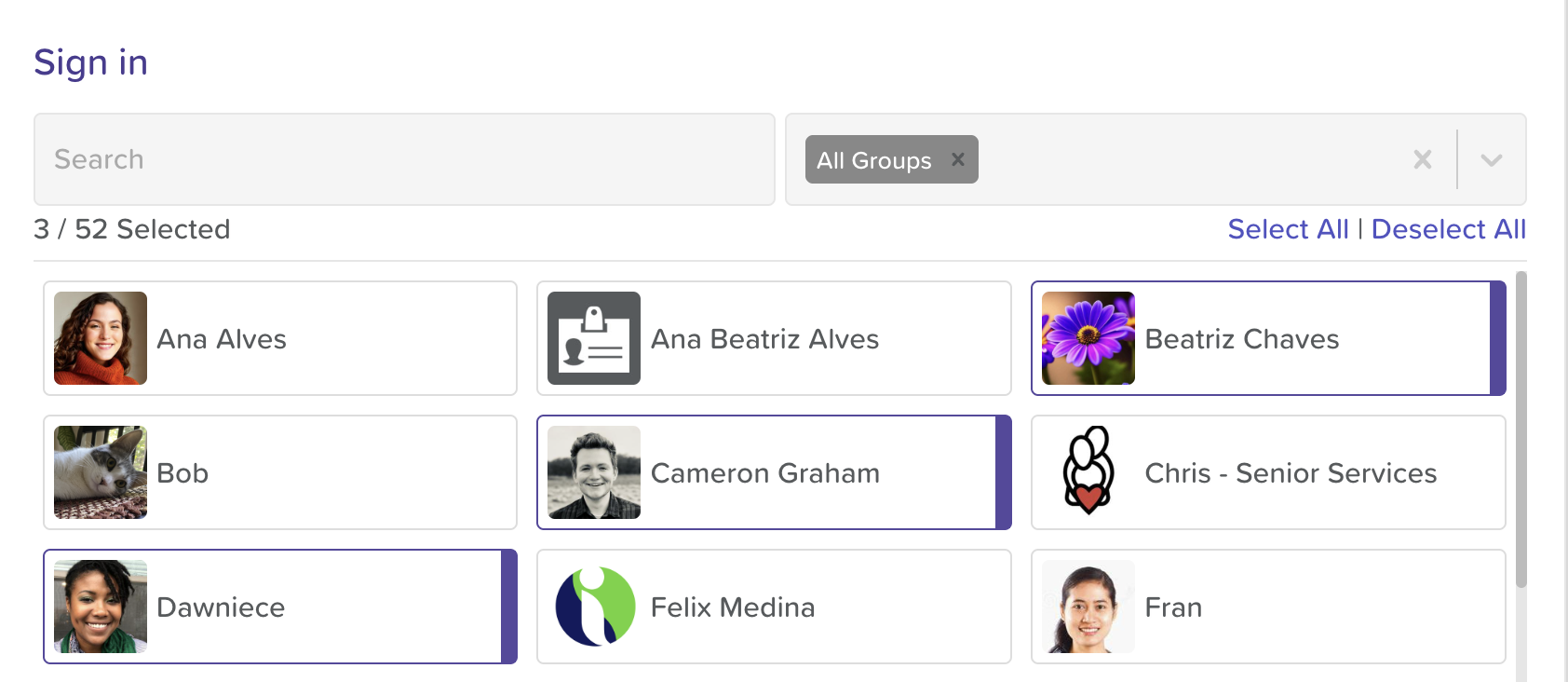
On the next screen, click where it says Participants or Staff.
Select multiple users (you can use the Group filter or search bar to refine your search).
Click anywhere to the side to return to the Sign In screen.
Click Sign In.
✅ Tip: Tags added during bulk sign-in apply to all selected users. Individual tag adjustments can be made after sign out by clicking on View Logs and making edits to the sign in of individual entries.
Bulk Sign Out
To sign users out in bulk, repeat the steps above. The only difference is that you will click Sign Out instead of Sign In.
Need More Help?
If you need further assistance, you can reach out to our support team by emailing support@storii.com. Our support team is ready to help you with any questions or issues you may have.