
How to Edit or Remove a Tag from a Register Log
If a Register tag was forgotten or applied incorrectly during sign-in, you can easily add or remove it from the log entry. Tags help categorize attendance, but they can be edited at any time retrospectively for accuracy.
Please note, you cannot edit or remove a tag while the user is actively signed-in. The tag must be edited or removed once they have signed-out (or been marked as absent) and the log is generated.
Steps to Remove a Tag:
Go to the Register:
From your Dashboard, click Register.
Open the Register Logs:
Click View Logs in the top right corner of the screen.
Find the Entry:
Use the filters or search bar to locate the specific log entry.
Edit the Log:
Click on the entry.
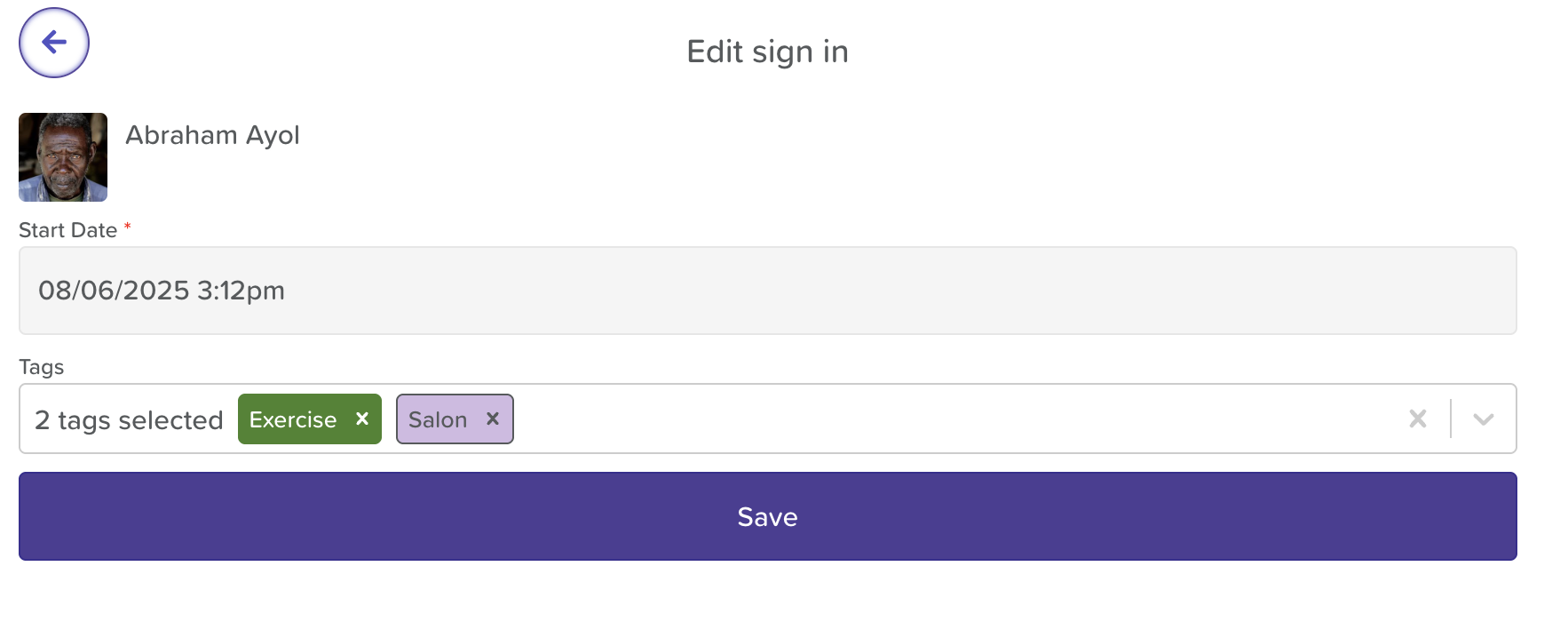
Choose Edit Sign In.
Remove the Tag:
In the tag selection area, click the x next to the the tag(s) you want to remove.
Save Your Changes:
Click Save to update the log.
Need More Help?
If you need further assistance, you can reach out to our support team by emailing support@storii.com. Our support team is ready to help you with any questions or issues you may have.