
How to Download an Invoice PDF
Edited
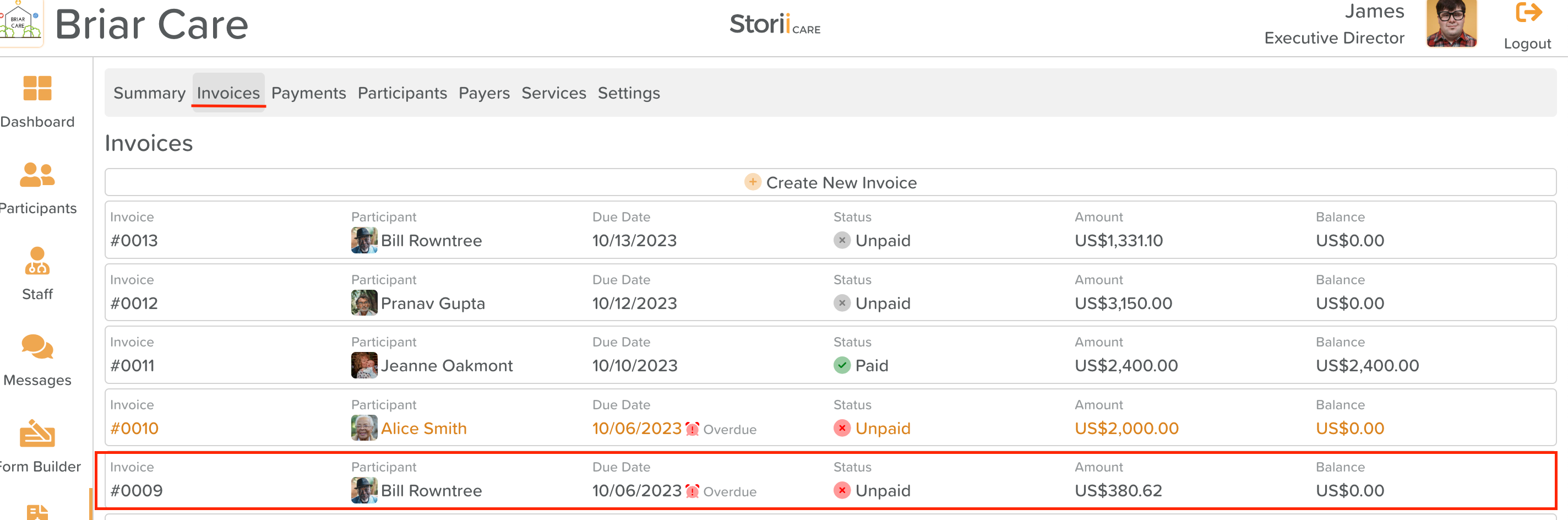
From Billing, click on Invoices
Click on the invoice you need to export
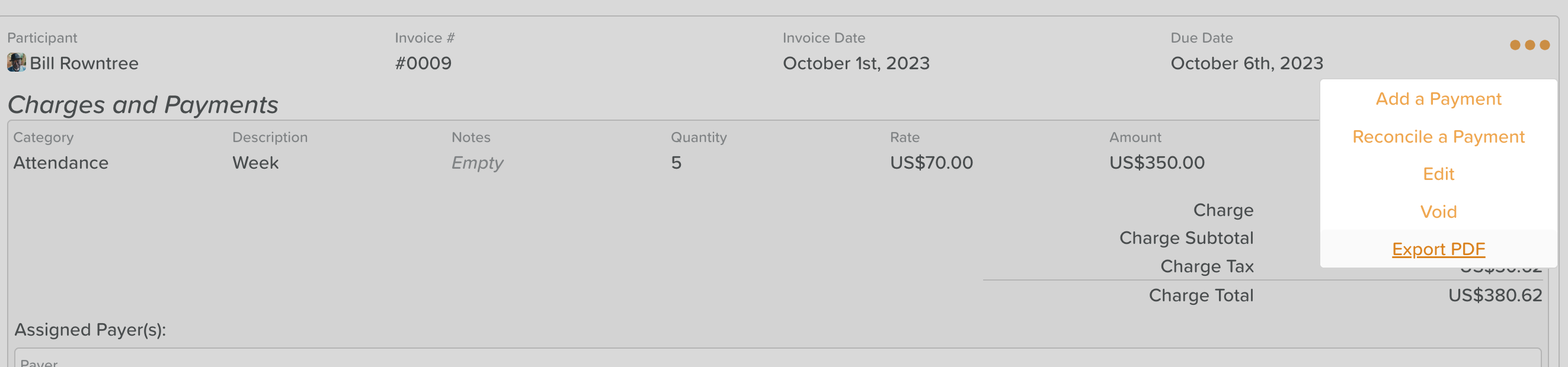
Click the three dots (...) on the right side of your invoice
Select Export PDF from the dropdown menu that appears
To personalize the invoice to your business, you can add your Business Name, Contact Details, Payment info, and logo
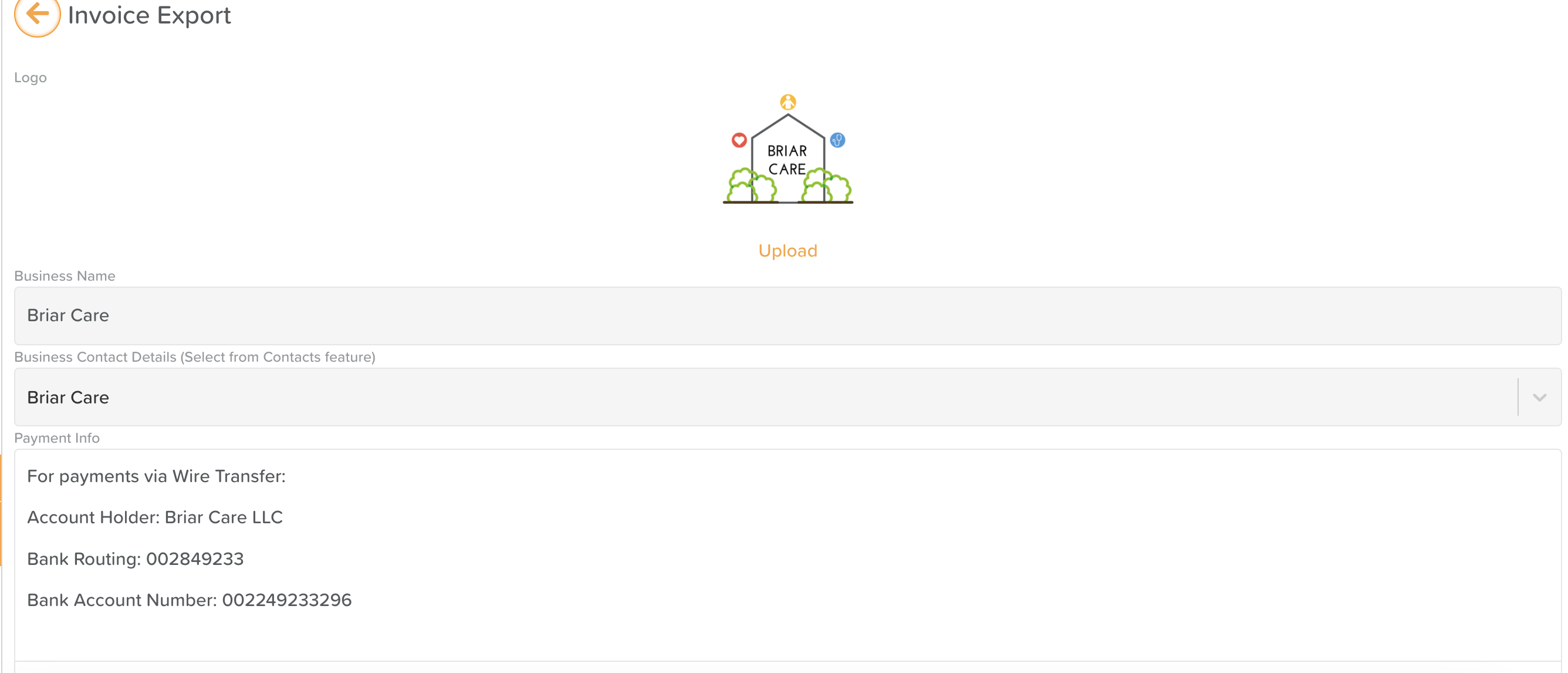
At the bottom, click Export Invoice (PDF) to download the file to your device

Was this article helpful?
Sorry about that! Care to tell us more?