
How to Upload an 835 ERA for Claims Remittance
Managing billing and remittance has just become a lot easier. StoriiCare now supports the uploading of 835 Electronic Remittance Advice (ERA) files, allowing your billing team to reconcile insurance payments directly within the platform. If you are using our connected clearinghouse partner Stedi, no manual upload is required - claims will be auto-reconciled via our API connection!
What is an 835 ERA File?
An 835 file is the standard electronic format used by payers (insurance companies and Medicare/Medicaid programs) to communicate claim payment details and adjustments.
What Does Uploading an 835 ERA File Do?
Uploading these files into StoriiCare lets you:
Match payments received against submitted claims automatically
Identify denied, adjusted, or partially paid claims at a glance
Reduce manual data entry and reconciliation errors
Maintain a clear payment history for audit and reporting purposes
How to Upload an 835 ERA File
For the automatic reconciliation process to work, the original 837 file for the invoice(s) needs to have been generated from StoriiCare.
To upload an 835 file:
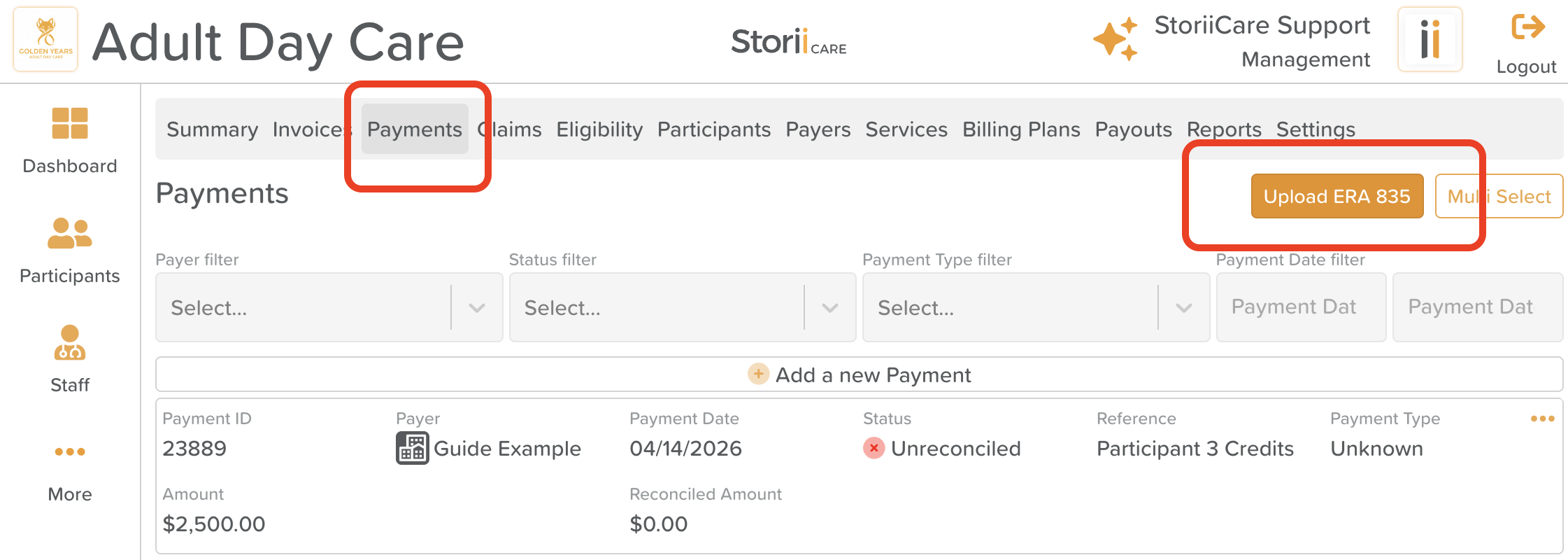
Navigate to the Billing section
Click on the Payments tab
Click the Upload 835 ERA button
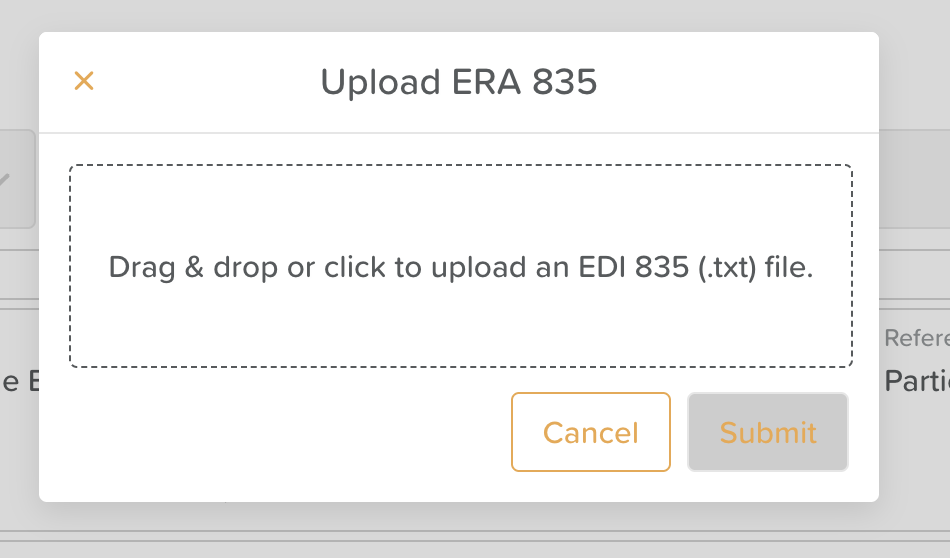
Drag and drop or upload your 835 (.txt) file.
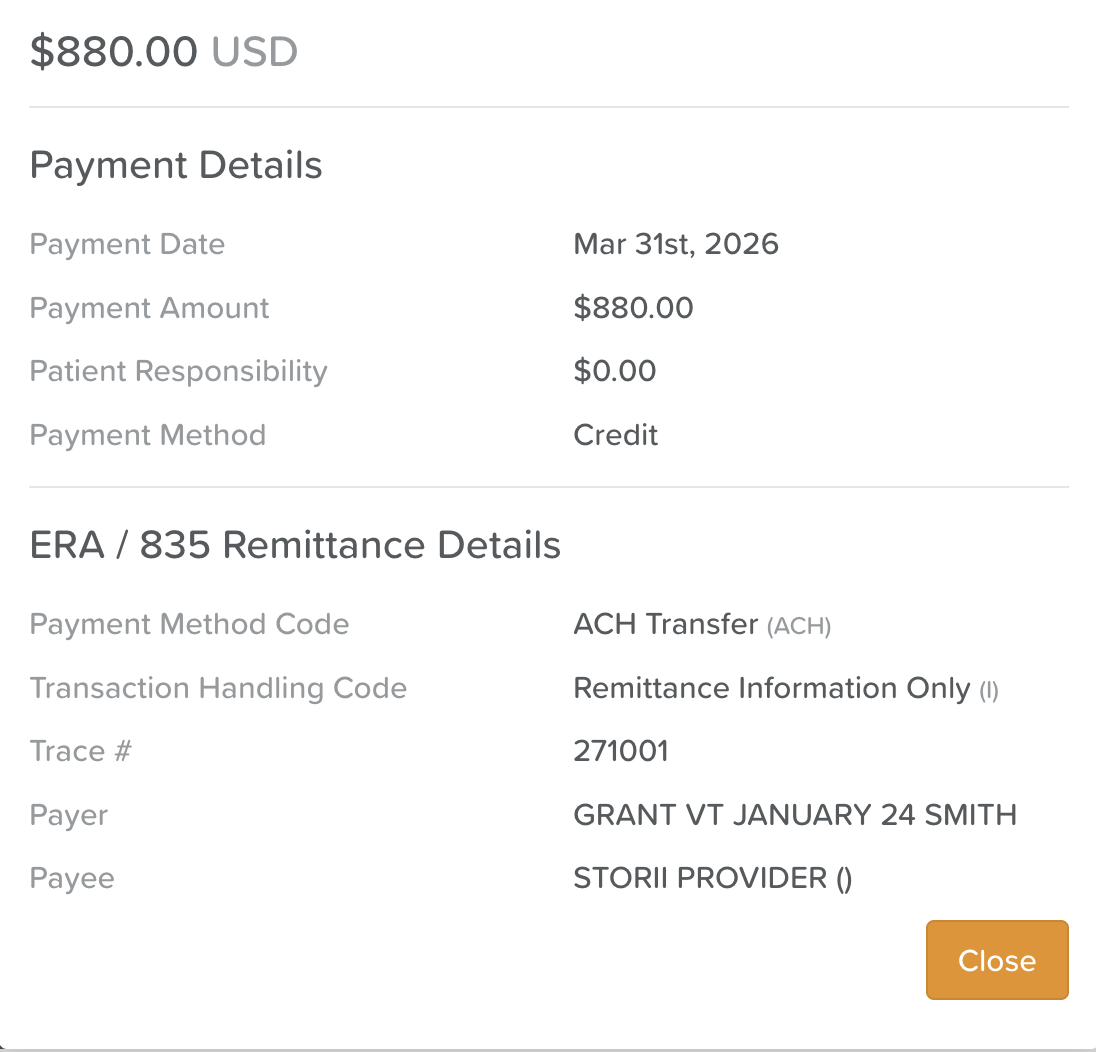
Once uploaded, the status of the claim will change and users will be able to click into Show details

From the Invoices tab, associated invoices will automatically be marked as Paid.